

Upstream alerts for data products
Most data problems start upstream. By the time a data product turns red, the people who use it are already affected. Upstream notifications tell you earlier, when a problem upstream puts your data product at risk.
Every data product has an upstream status, shown with the same colors as the data product status so you can read it at a glance. It is calculated from the active incidents on any asset in the data product's upstream lineage.
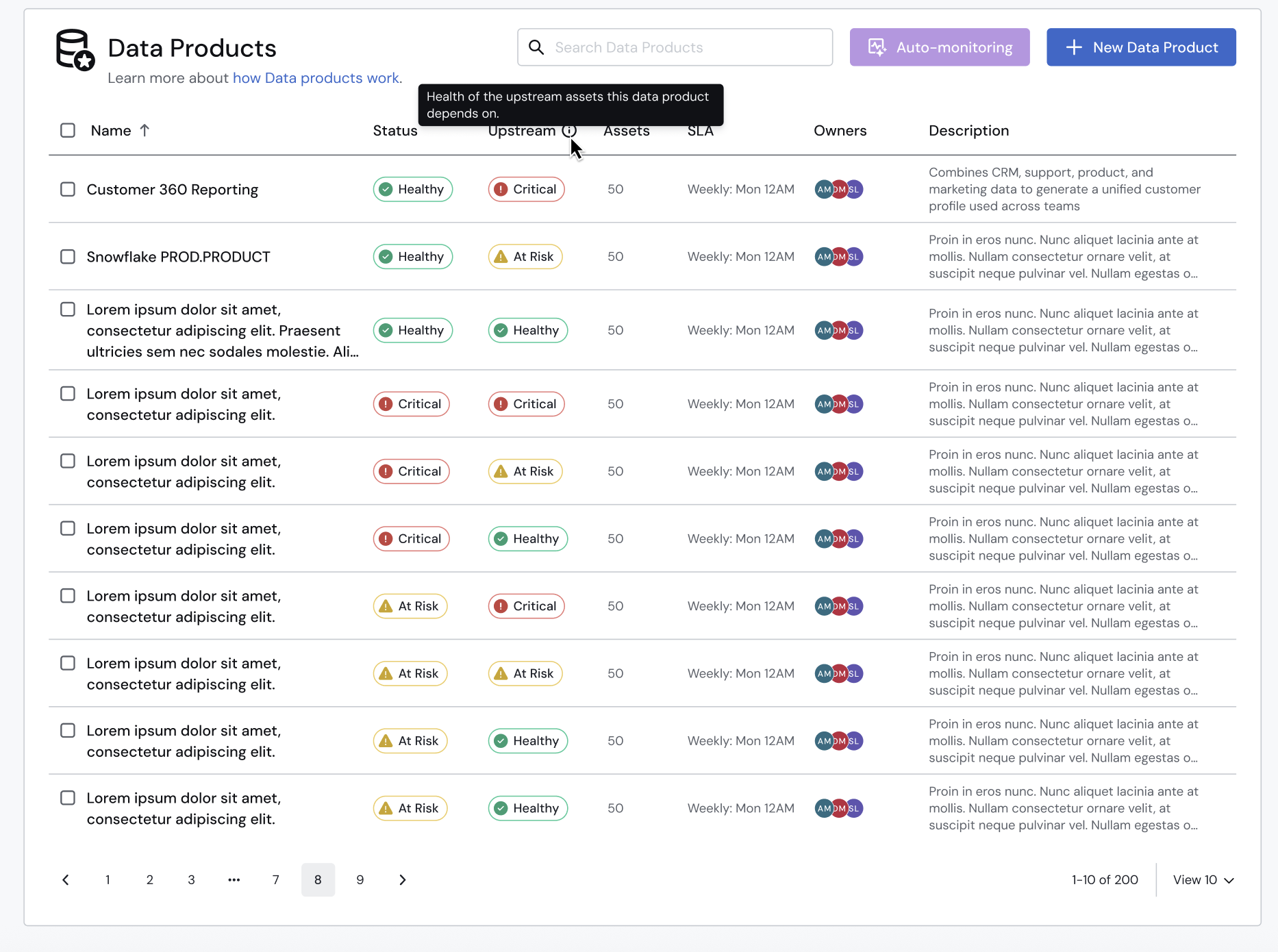
🟢 Healthy: There are no active upstream incidents.
🟡 At risk: There are only Low and Moderate upstream incidents.
🔴 Critical: There is at least one High or Critical upstream incident.
The whole upstream lineage is checked, not just the assets directly connected to the data product. An incident anywhere upstream counts, however many levels away.
Turn on upstream notifications
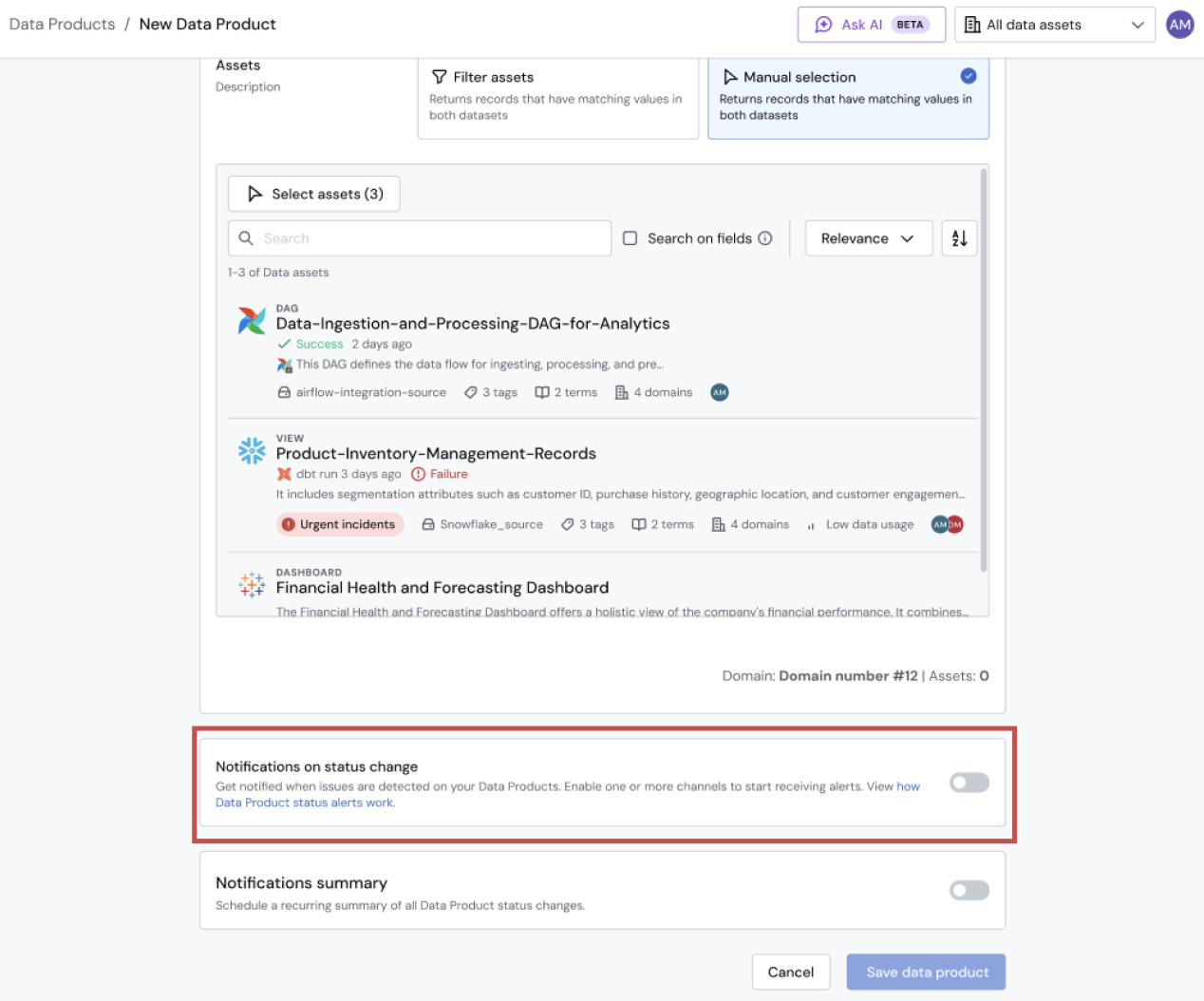
Upstream notifications are set up in the data product's notification settings.
- Open the data product's notification settings.
-
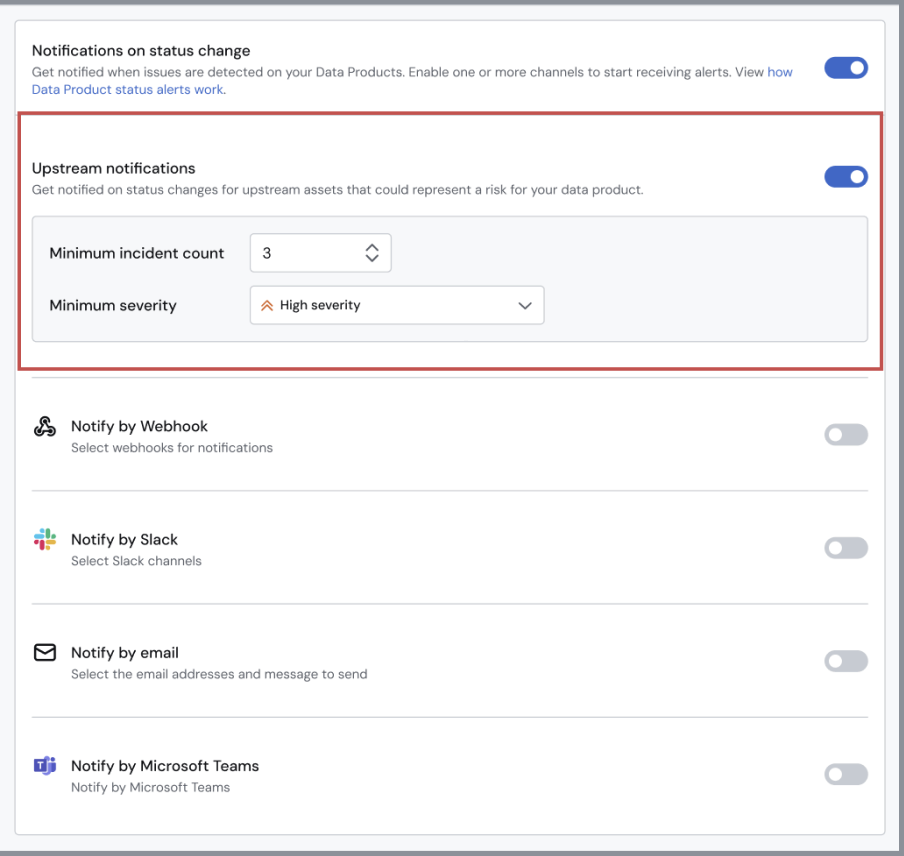
Turn on upstream notifications. This is one option for the data product. It is not set separately for each channel.
-
Set your threshold. Choose the minimum number of incidents (N, default 1) and the severity they must have, or higher. For example, 2 incidents of Moderate or above.
-
-
Save. From then on, you are notified when the threshold is met.
Upstream notifications are real-time notifications. The next section explains exactly when they are sent.
When you are notified
Notify me when at least [N] upstream incidents of severity [Low / Moderate / High / Critical] or above are active.
- N is the minimum number of incidents. The default is 1.
- Only incidents at the severity you choose, or above, count towards N.
You are not notified when
- More upstream incidents appear after the threshold was already met.
- Some incidents are resolved but others remain, even if the threshold is no longer met. Recovery is only announced when everything is resolved.
- Incidents appear and disappear without ever meeting the threshold.
- The upstream color changes (for example 🟡 to 🔴) while the threshold stays met.
- The data product is already 🔴 Red.
How it works with data product notifications
Data product notifications and upstream notifications work together, so you never get two "bad news" messages for the same data product at the same time.
Rule: upstream notifications are independent from data product notifications, except when the data product is 🔴 Red. In that case upstream alerts are suppressed, because the data product is already reporting a critical problem.
Examples:
| Data product | Upstream | You receive |
|---|---|---|
| Status is 🟢 → 🟡 Turns Yellow | Status is 🟡 or 🔴, threshold met at the same time | One message with the data product and upstream information |
| Status is 🟢 → 🔴 Turns red before upstream | Status is 🟡 or 🔴, threshold met | Data product message only. The upstream message is suppressed |
| Status is 🟢 or 🟡, no status change | Status is 🟢 → 🟡 or 🔴, threshold now met | Upstream message |
| Status is 🟢 or 🟡, no status change | Status is 🟡 → 🔴, upstream status changes | Upstream status change message |
| Status is 🟢 or 🟡, no status change | Status is 🟡 or 🔴, new incident, same status | Nothing. The upstream status did not change |
| Status is 🔴 Already Red | Status is 🟡 or 🔴, any new issue | No upstream message. The data product is already Critical |
| Status is 🔴 → 🟢 Back to healthy | 🟢 All resolved | Recovery message. The data product is healthy again |
Good to know
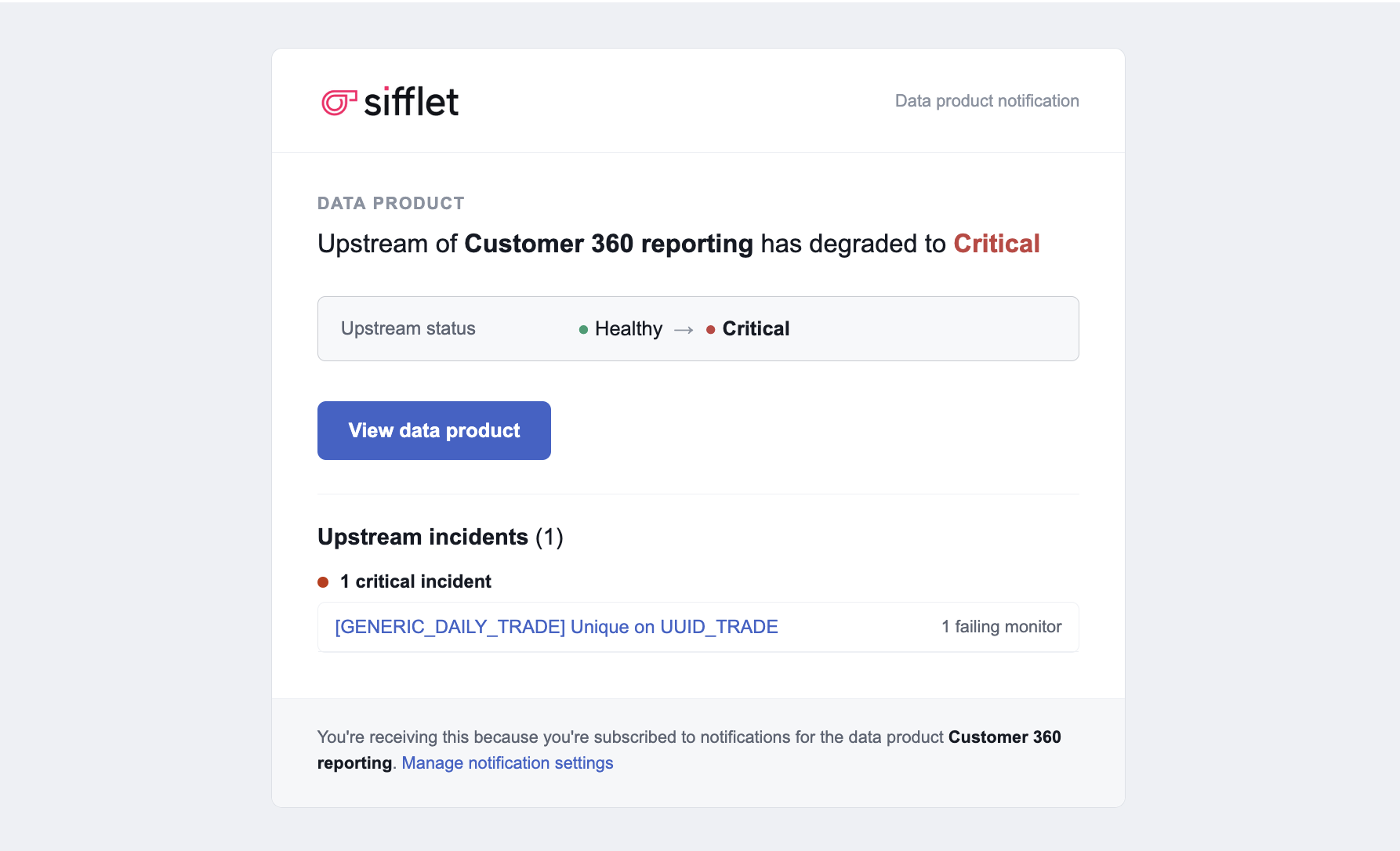
What a message looks like
Finding upstream incidents
In the incident side panel, use the filter to switch between the data product's own incidents and its upstream incidents.
Statuses update every 5 minutes
Data product and upstream statuses are not updated instantly. Every 5 minutes, a background job checks the incidents on the upstream assets, recalculates the statuses and sends any notifications that are due.
The whole upstream lineage counts
Every level of upstream dependency is considered, for the assets in the data product.
Upstream assets don't need to be monitored themselves
If an asset in your data product has no monitor but something upstream of it does, the upstream status is still shown and you are still notified.
Changing the scope of a data product
If you change which assets are in a data product, for example by removing an unhealthy asset, no notification is sent for the change.
Updated about 1 hour ago