

Databricks Workflows Collected Data
This page lists what Sifflet imports once you connect Databricks Workflows.
Imported Assets
Sifflet imports the jobs of the workspace configured in the source, as Databricks job assets in the Data Catalog. Jobs deleted in Databricks aren't imported.
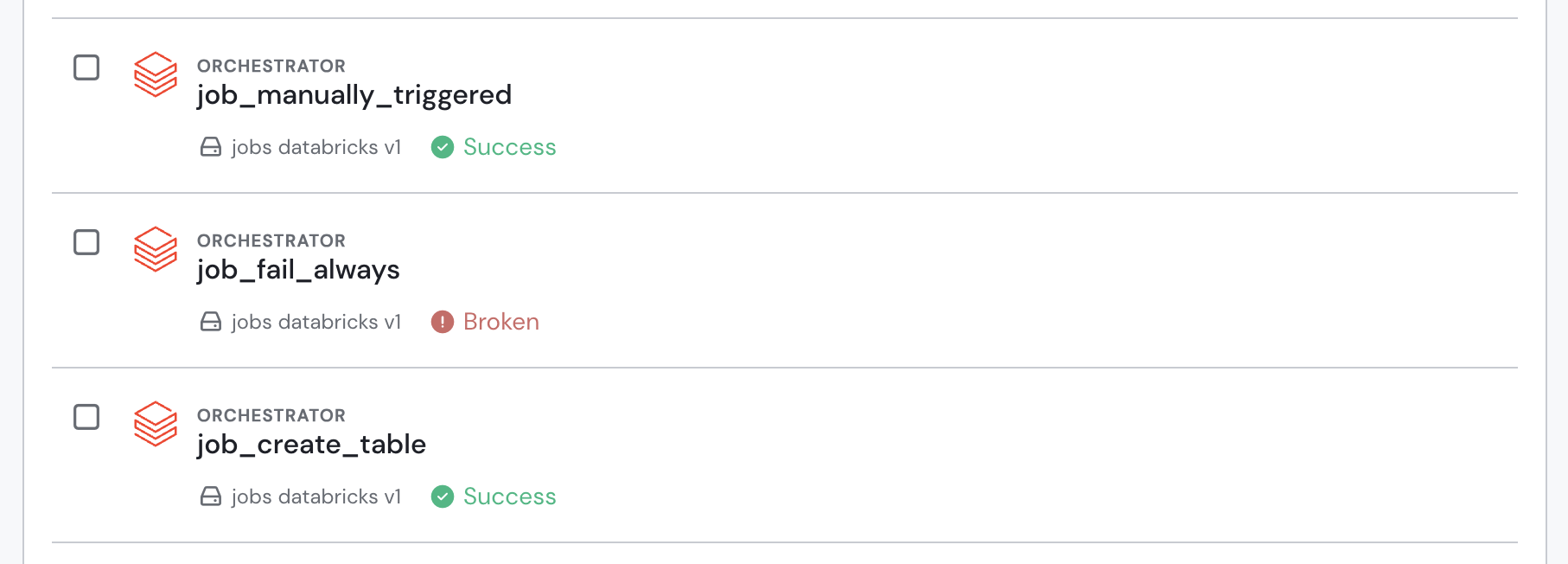
Databricks Workflows jobs in the data catalog
Collected Metadata
Sifflet reads job metadata from system.lakeflow.jobs and run metadata from system.lakeflow.job_run_timeline.
| Asset type | Metadata |
|---|---|
| Jobs | Name, description, creator ID, tags (key:value), last modification time, link to the job in Databricks |
| Latest run of each job | Start and end time, status (succeeded, failed, canceled, timed out, skipped, blocked, or running), trigger type (scheduled, manual, or triggered) |
Sifflet keeps only the latest run of each job.
Lineage
Sifflet links each job to the tables it writes, using the lineage that the Databricks source reads in system.access.column_lineage. For tables written by Lakeflow Declarative Pipelines (formerly Delta Live Tables), Sifflet finds the job that triggered the pipeline in system.lakeflow.pipeline_update_timeline, if the Databricks source has the optional permission on this table.
The links only appear for tables that a Databricks source includes in its scope, and are updated when the Databricks source refreshes.
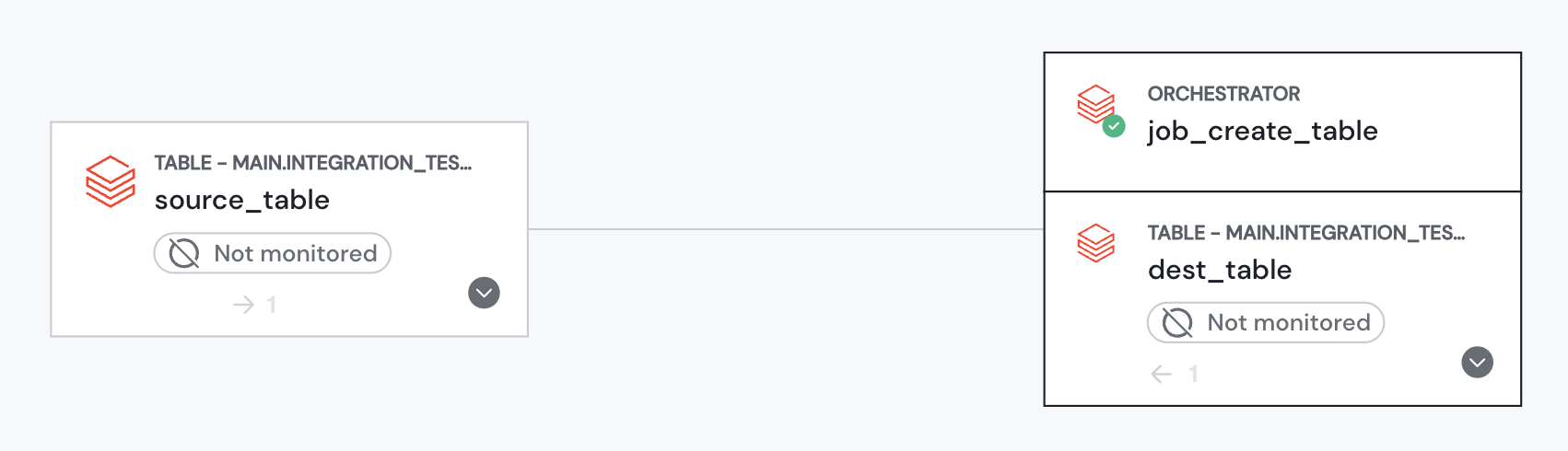
Databricks Workflows jobs in Sifflet lineage
Data Freshness
Sifflet refreshes jobs and their latest run on the source schedule: see Integrations Management for the default frequency and how to change it. Databricks populates system tables with some delay, so a run that just finished can appear in Sifflet only at a later refresh.
Data Exposure
Sifflet only reads job and run metadata from system tables: this integration doesn't read any row-level data. See Security.
Updated 20 days ago