

Slack notification messages
This page describes the messages Sifflet posts to Slack. To connect Slack and configure channels, see Slack. To choose which monitors notify which channels, see Notification rules.
Incident messages
These messages are sent when a failing monitor creates or joins an incident.
| Message | When it is sent |
|---|---|
| Incident created | A new incident has been opened. The message shows the monitor that opened it. |
| Incident updated | A monitor was added to an incident that already existed. |
| Incident closed | The incident is closed. It is posted to every channel the incident has notified. |
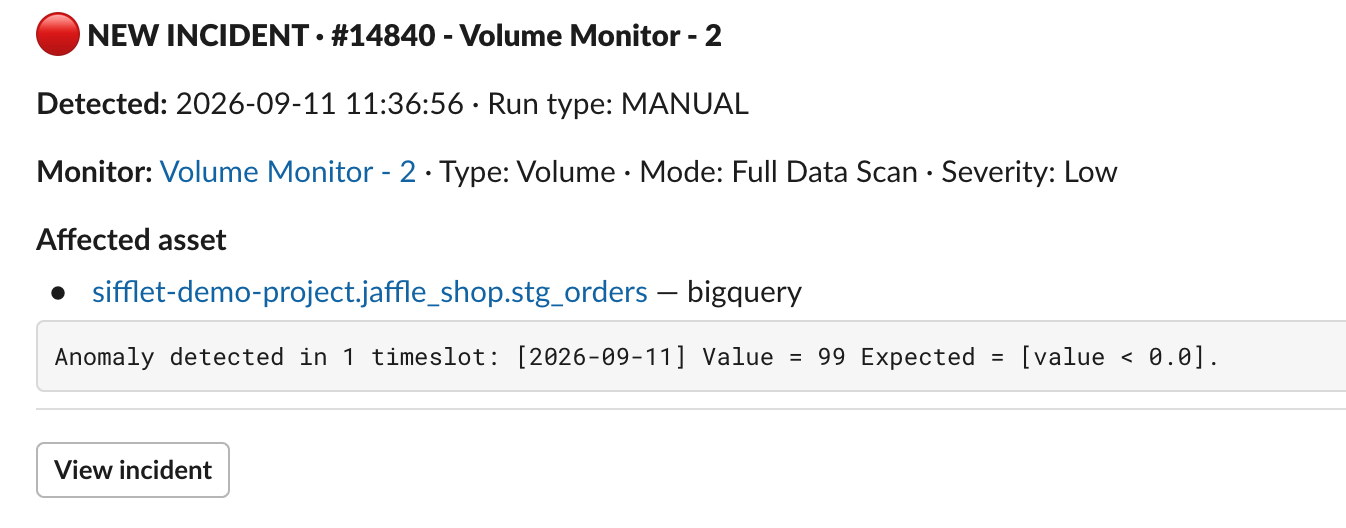
Incident Created
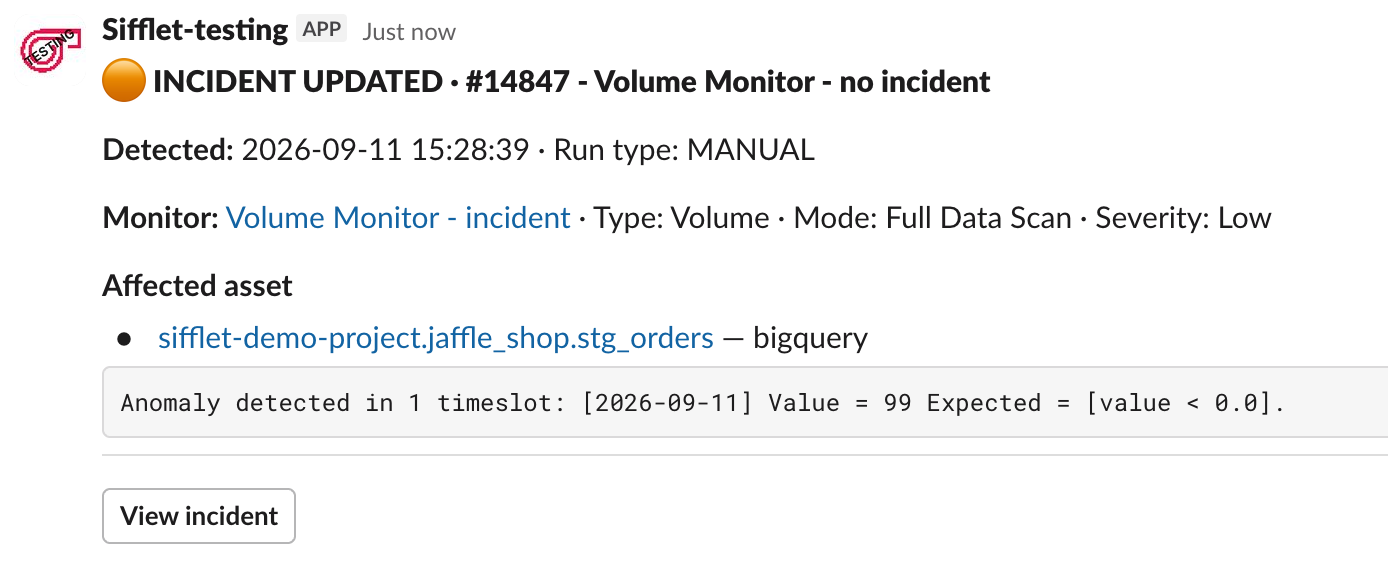
Incident Updated
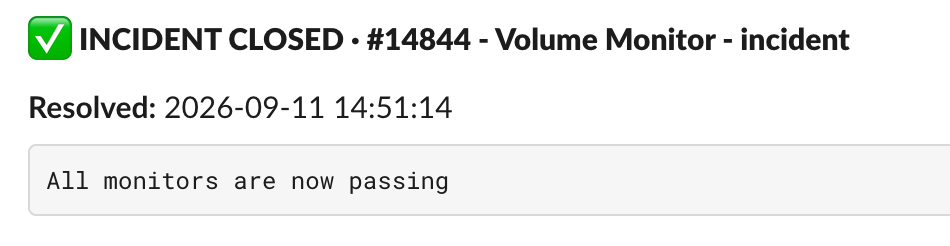
Incident Closed
When an incident is closed, Sifflet also edits the original incident message in place so that it shows the incident as closed.
Monitor messages
These messages are sent when a monitor is not tied to an incident.
| Message | When it is sent |
|---|---|
| Monitor failure | A monitor run failed its threshold. |
| Monitor needs attention | A run could not reach a verdict: a technical error, or a run that requires a human look. |
| Monitor recovered | The monitor is passing again, after failing or needing attention. |
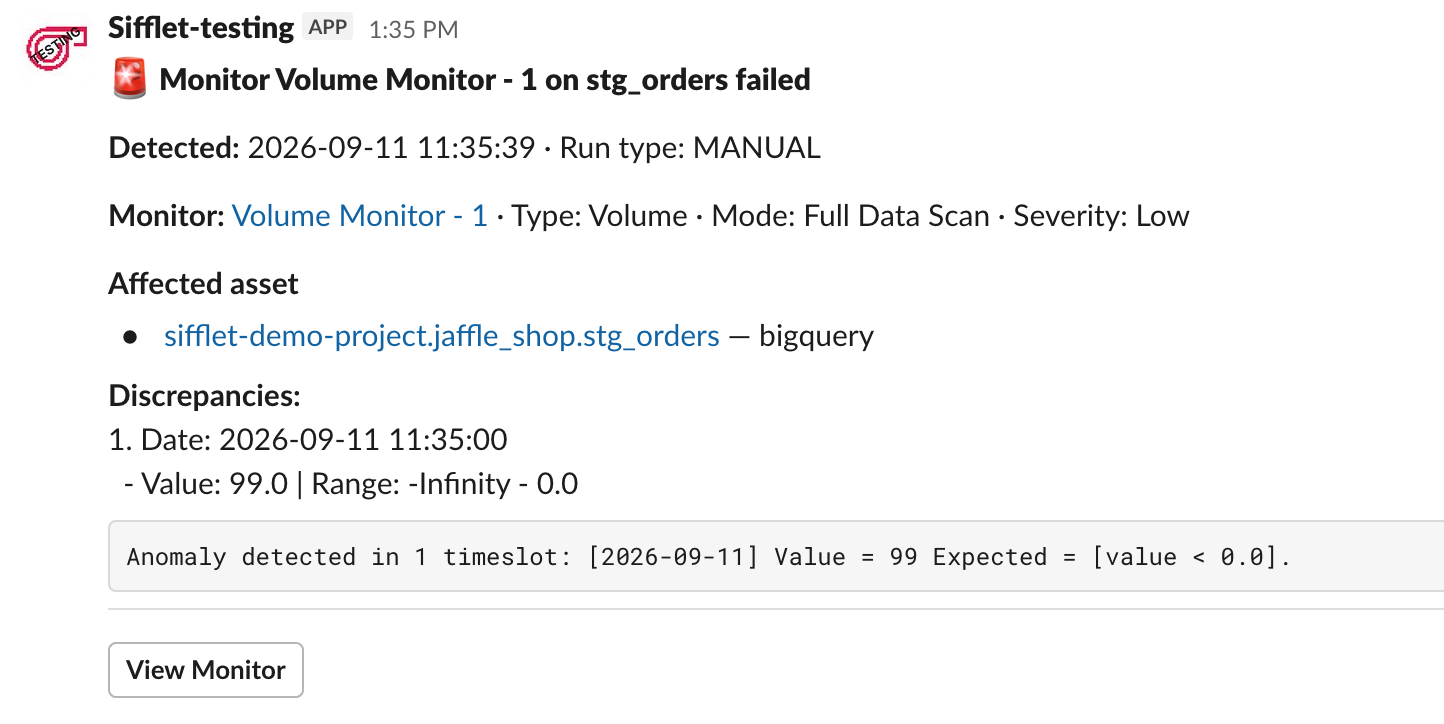
Monitor Failure
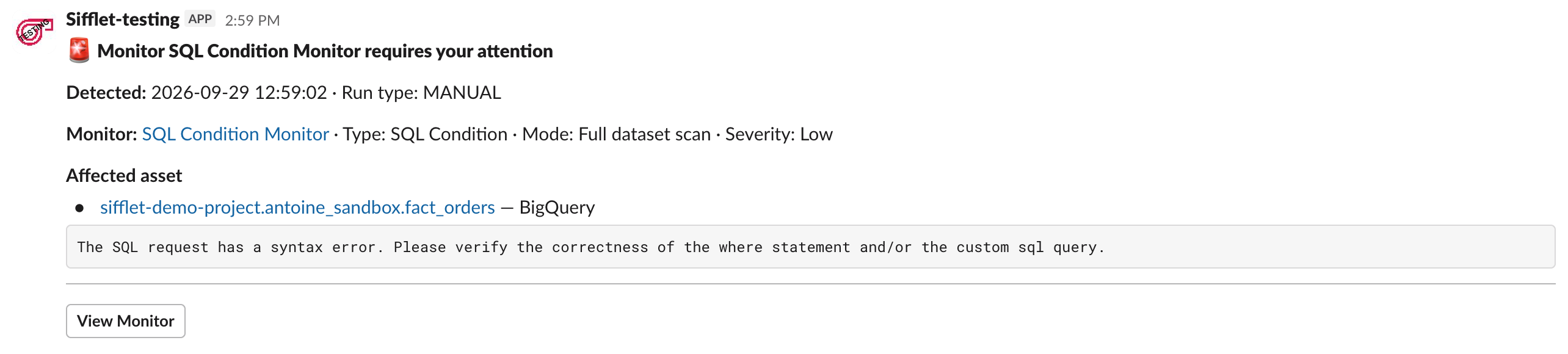
Monitor needs attention

Monitor Recovered
Monitor messages are not threaded and are never edited: each one is posted as a new message.
Threading
Threads and the in-place update of the original message are available for incident-centric notifications only. Incident messages for the same incident are grouped into threads, so an incident and its follow-ups stay in a single conversation instead of filling the channel. Monitor-centric messages are posted as separate messages.
What Slack does not receive
- Successful monitor runs (
MONITOR_SUCCESS) are sent to webhooks only. - Assignment notifications are sent by email only.
See the Notification catalog for the complete list.
Updated 20 days ago