

dbt Collected Data
This page describes what Sifflet imports from your dbt projects, with both the dbt Core and the dbt Cloud integrations. Both integrations read the same dbt artifacts (manifest.json and run_results.json), so they import the same assets and metadata. Only the way Sifflet gets the artifacts differs.
Imported Assets
Sifflet reads the manifest.json and run_results.json artifacts and imports:
| dbt resource | Imported as | Notes |
|---|---|---|
| Models | A dbt model (transformation) and a reference to the table or view it generates | Sifflet links the reference to the matching table or view of your data platform source |
| Seeds | A dbt seed (transformation) and a reference to the table it generates | |
| Sources | A reference to the source table | Used to link sources to the models that read them |
| Data tests | A dbt test monitor, attached to the tested table and column | Listed on the Monitors page |
Sifflet identifies the table or view behind each model, seed, or source by its database, schema, and name (the alias when one is set). When the same table exists in one of your data platform sources (Snowflake, BigQuery, Databricks, and so on), Sifflet shows the dbt metadata on that table's asset page.
Collected Metadata
Models and Seeds
From manifest.json:
- Name and description of the model or seed.
- dbt project name.
- Resource type (model or seed).
- Group, access, materialization, and deprecation date.
- Custom metadata set with the
metaconfig. - SQL code of the model.
- Column names and descriptions.
- Tags set on the model and on its columns, imported as dbt tags on the table and its fields.
From run_results.json:
- Status of the last run (success, error, skipped), and date of the last run and of the last successful run.
- Run history: start and end time, duration, status, and logs of each run.
Sifflet shows this metadata in the following places:
-
On the asset page of the generated table or view: the last execution status and timestamp, and a dbt tab with the Details from dbt (model name, description, source, project, type, group, access, materialization, deprecation date) and the Metadata from dbt (your
metaproperties).
Dataset catalog entry with dbt metadata
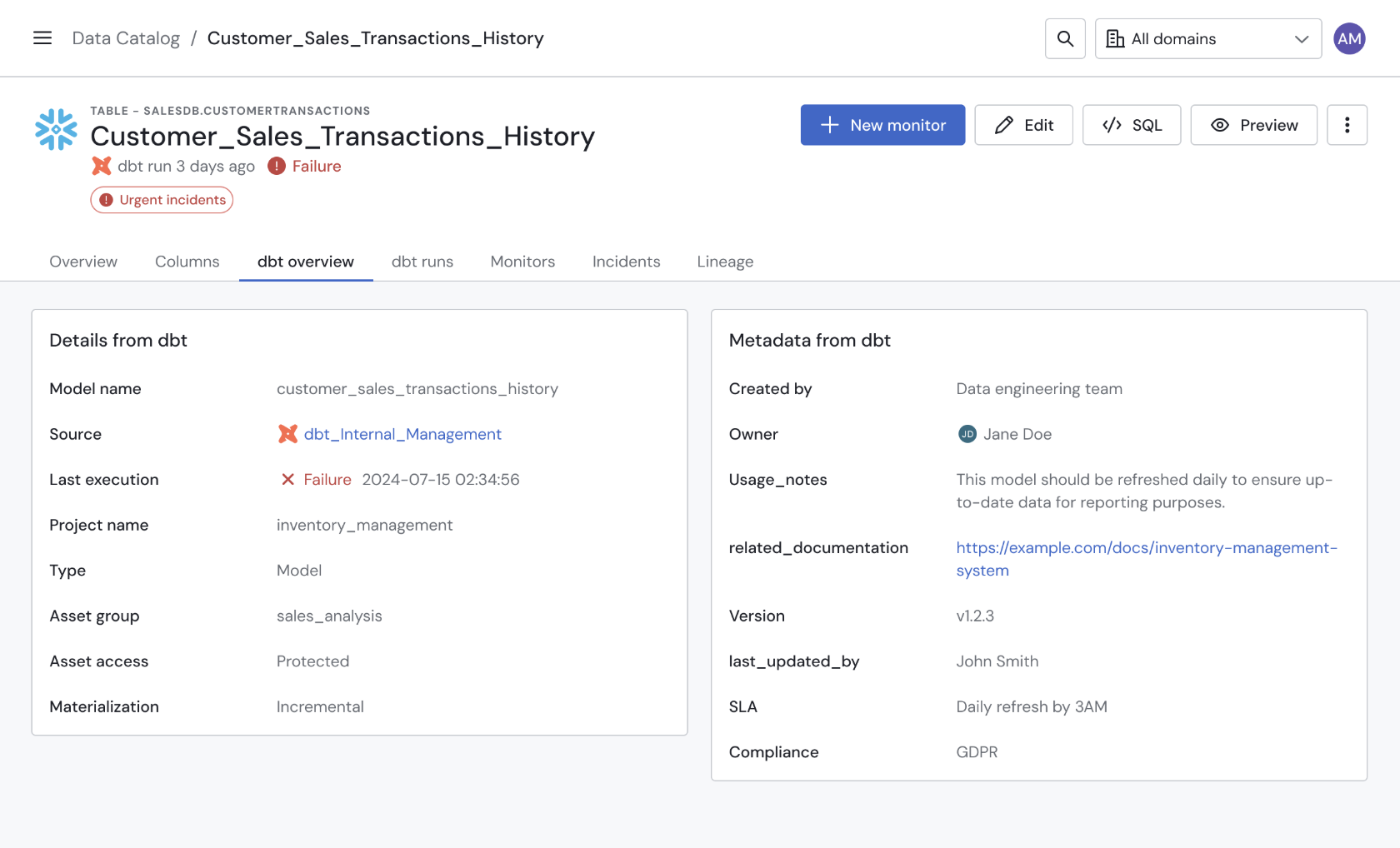
The dbt tab
-
In the dbt Runs tab of the asset page: the status, duration, start and end time, and logs of every run of the model.
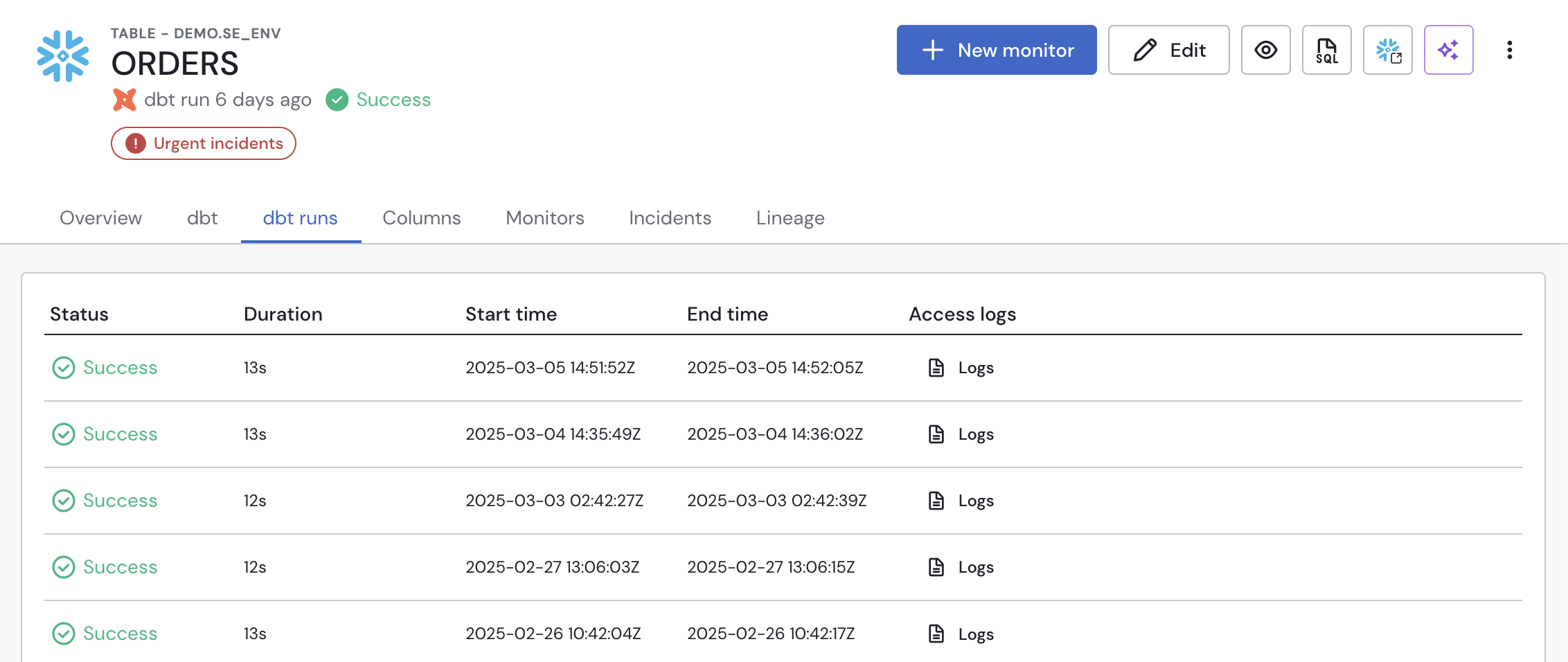
The dbt Runs tab
-
In the lineage graph: the dbt run status of each dbt-generated table.
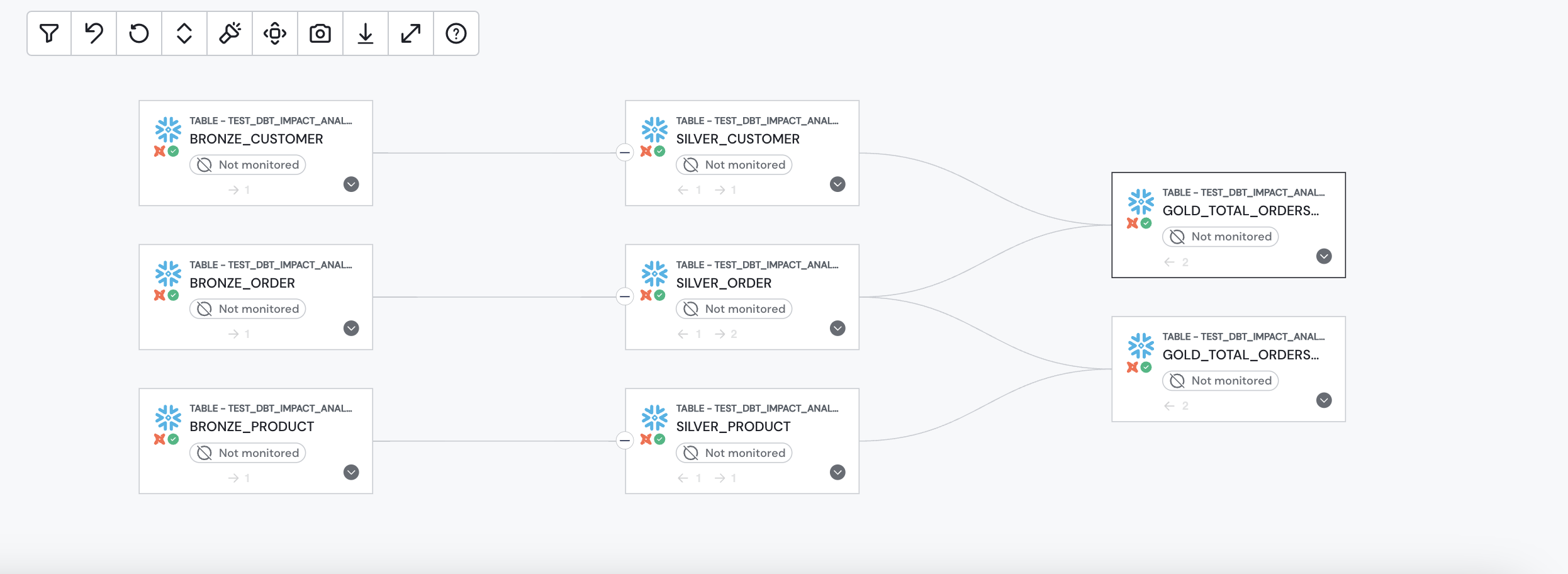
The lineage graph with dbt metadata
When a model or seed run fails, Sifflet sends a notification to the destinations configured in the source's Data pipeline failure notifications section. See Pipeline Alerting.
Data Tests
From manifest.json: test name, description, tested table and column, compiled SQL, severity (mapped to the monitor severity), and the fail_calc and error_if configurations.
From run_results.json: the status and date of each test run, shown as the monitor's run history.
When Create incident when monitor fails is enabled on the source (the default), a failing dbt test creates an incident like any other Sifflet monitor.
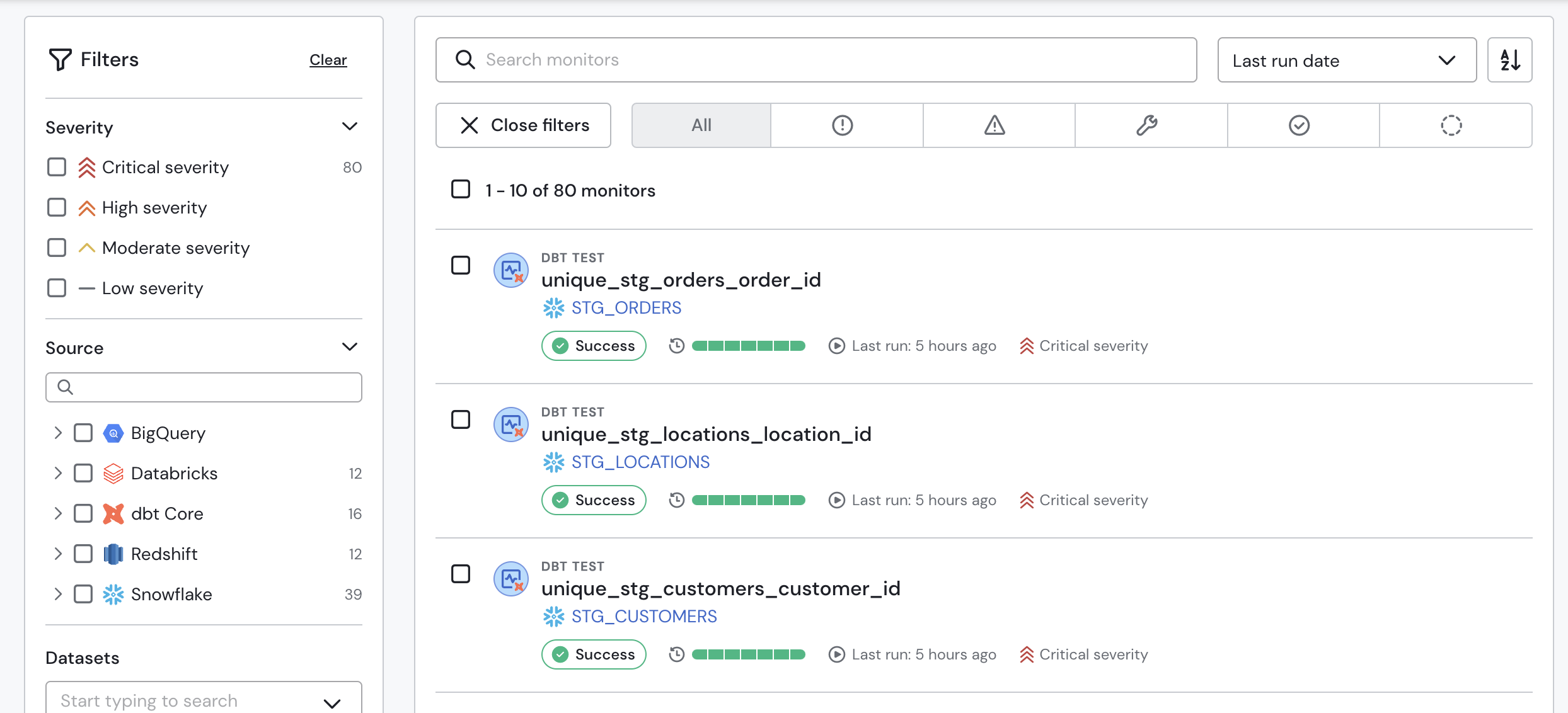
dbt tests in Sifflet
Lineage
Sifflet builds table-level lineage from the dependency graph of manifest.json: each model is linked to the models, seeds, and sources it reads from. Because the referenced tables are matched with the tables of your data platform sources, this lineage connects with the rest of your lineage graph (warehouse query-history lineage, BI dashboards, orchestrators).
The dbt integrations don't produce column-level lineage.
Data Freshness
- dbt Core: each upload of artifacts to Sifflet triggers an ingestion. When an ingestion of the same source is already running, Sifflet groups the uploads received in the meantime into the next ingestion. Sifflet ingests every
run_results.jsonuploaded since the previous ingestion, and the most recently uploadedmanifest.json. - dbt Cloud: Sifflet fetches the artifacts on the source's schedule, from the most recent finished run of the project at that time. See dbt Cloud Other Prerequisites for how this affects the way you build your jobs.
To change the schedule or trigger a run manually, see Integrations Management.
Limitations
- The
adapter_typeof your dbt project (inmanifest.json) must correspond to a data platform supported by Sifflet: otherwise, the ingestion fails. - Snapshots, analyses, exposures, semantic models, and metrics aren't imported. A model that reads from a snapshot has no upstream link to that snapshot.
- dbt Cloud: Sifflet only reads the artifacts of the last step of a single run per ingestion. See dbt Cloud Other Prerequisites.
Data Exposure
The dbt integrations don't read or store any row-level data. Sifflet stores the dbt artifacts you upload or that it fetches from dbt Cloud: they contain your project's metadata and the SQL code of your models and tests, which may contain literal values written in that code. See Security for how Sifflet stores and protects this data.
Updated 20 days ago