

Email notification messages
This page describes the emails Sifflet sends. To manage recipients, see Email. To choose which monitors notify which recipients, see Notification rules.
Incident emails
| When it is sent | |
|---|---|
| Incident created | A new incident has been opened. The email shows the monitor that opened it. |
| Incident updated | A monitor was added to an incident that already existed. |
| Incident closed | The incident is closed. |
| Assignee added | You were assigned to an incident. Sent once per newly assigned user, including users reached through a team assignment. |
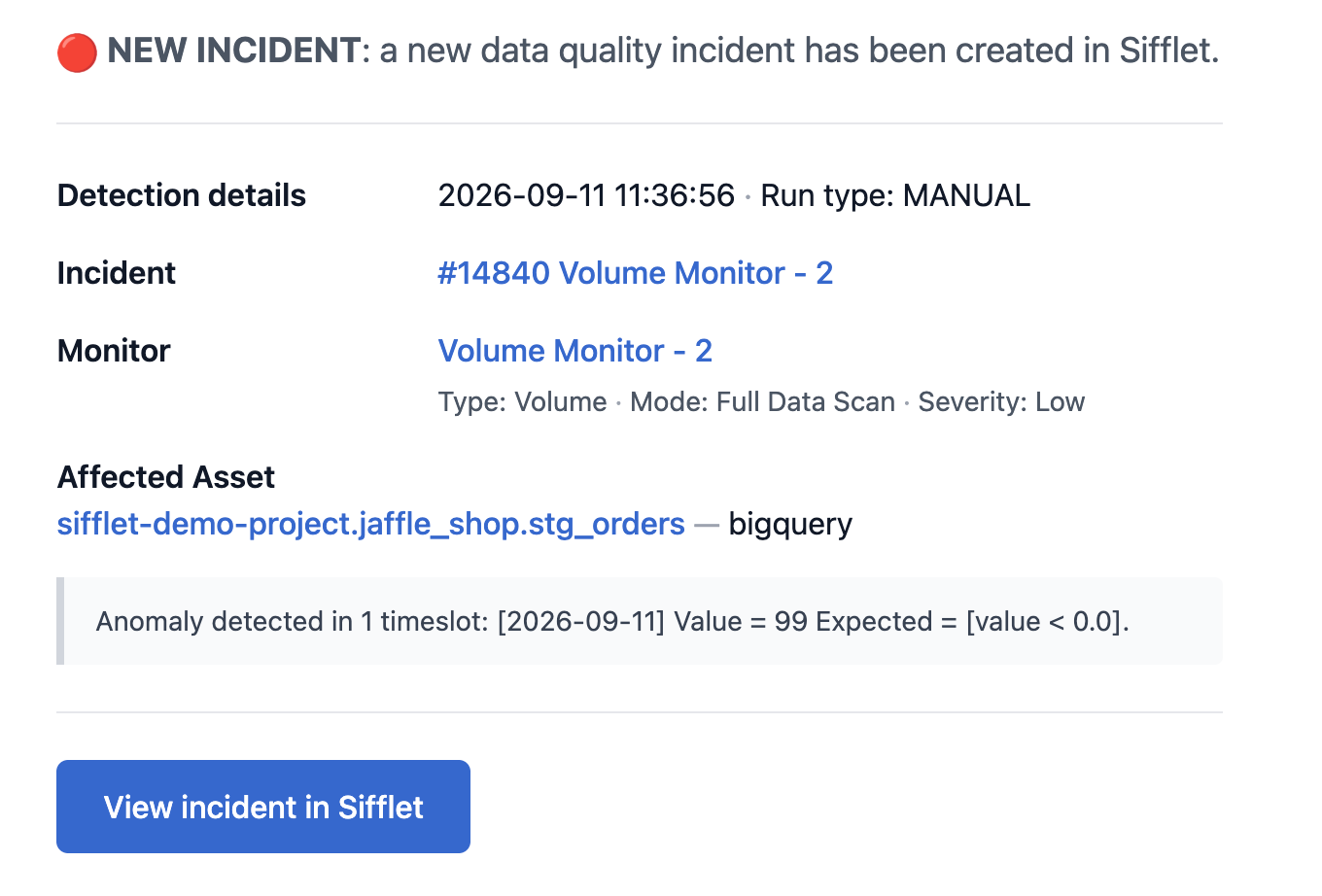
Incident Created
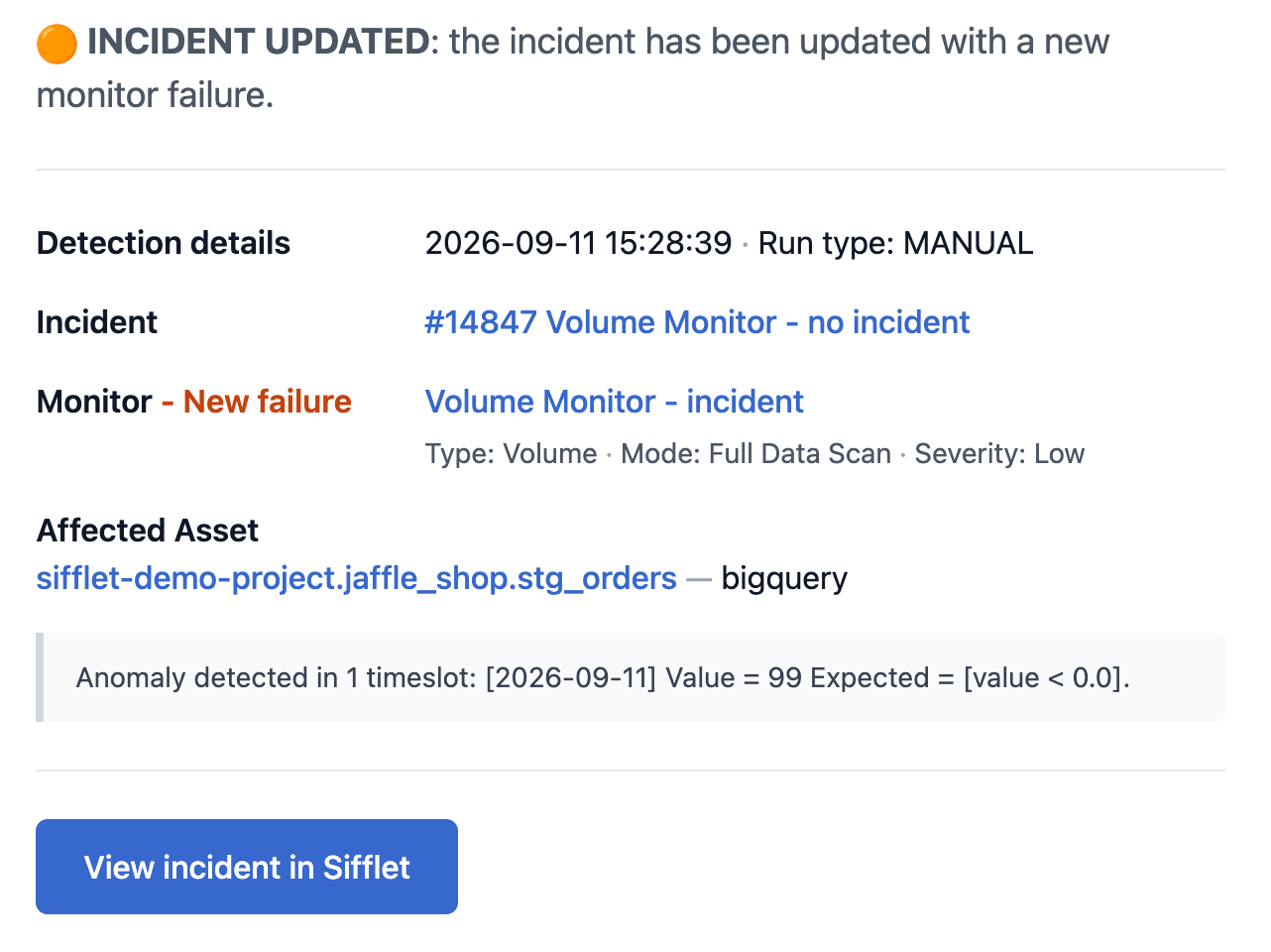
Incident Updated
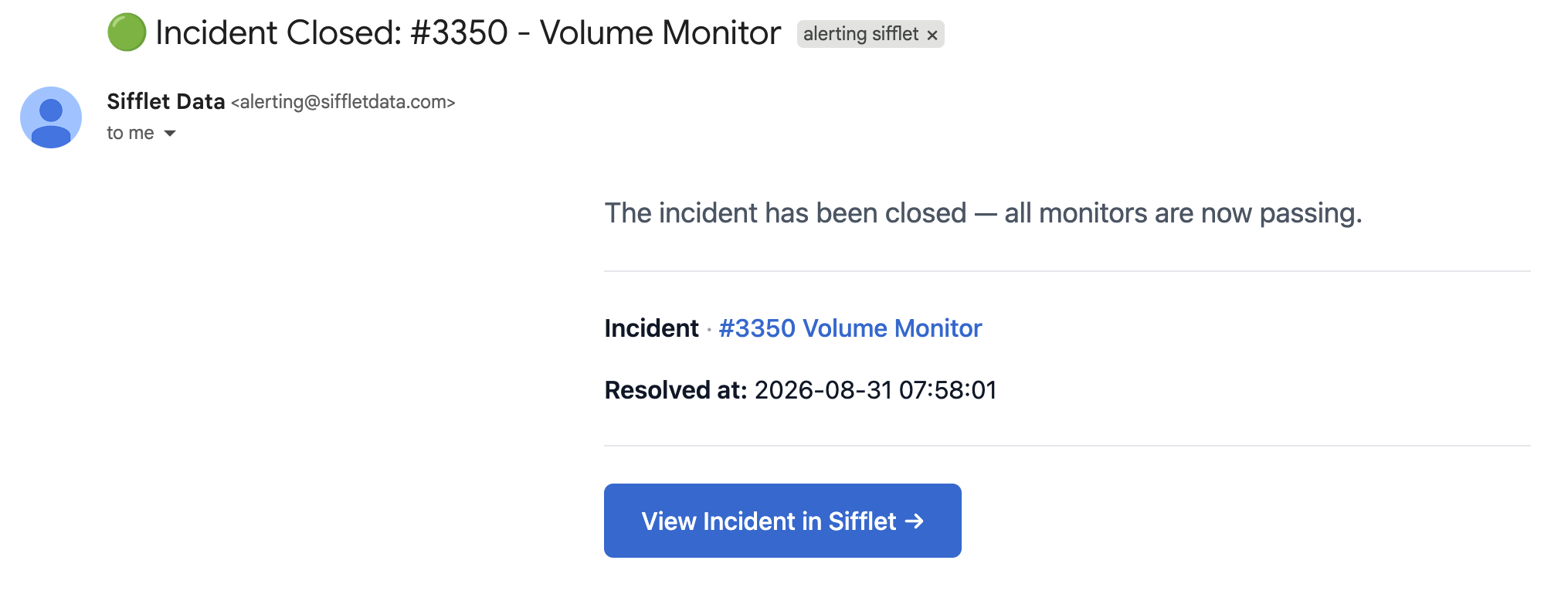
Incident Closed
Monitor emails
These emails are sent when a monitor is not tied to an incident.
| When it is sent | |
|---|---|
| Monitor failure | A monitor run failed its threshold. |
| Monitor needs attention | A run could not reach a verdict: a technical error, or a run that requires a human look. |
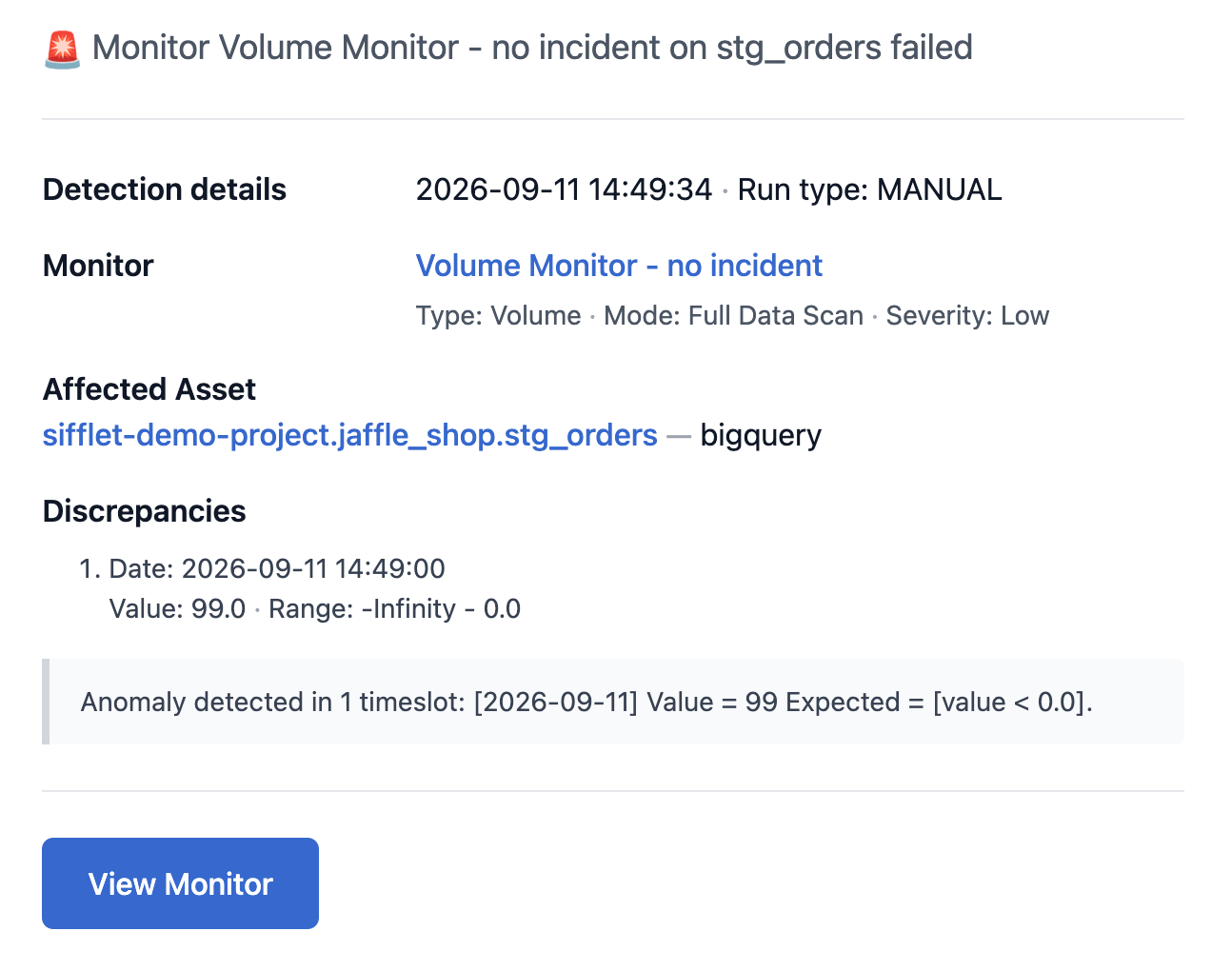
Monitor Failure
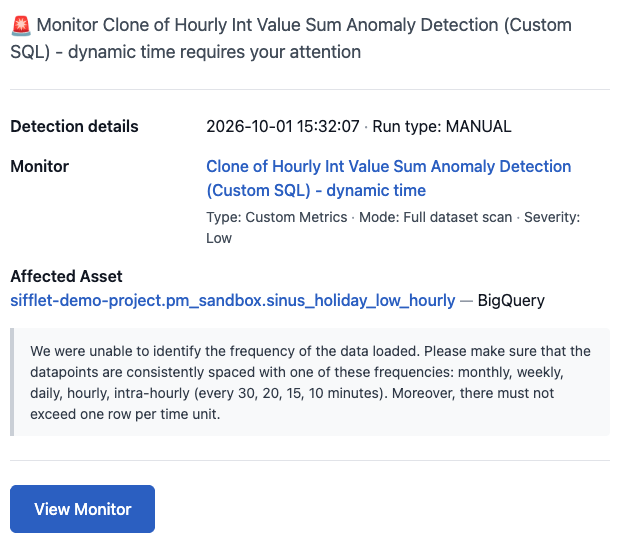
Monitors needs attention
Recovery emails are not sent
When a monitor is passing again, no email is sent, whatever the recipient. If email is your only destination, you will see failures but not recoveries. To be notified of recoveries, add Slack, Microsoft Teams, Google Chat or a webhook as a destination.
Threading
Threading is available for incident-centric emails only: emails about the same incident are grouped into threads, to reduce inbox clutter. Monitor-centric emails are sent as separate emails.
See the Notification catalog for the complete list.
Updated 20 days ago