

Fivetran Collected Data
This page describes what Sifflet imports from Fivetran. To connect Fivetran, see Fivetran.
Imported Assets
Sifflet imports the connectors of every destination (group) that the API key can access. Each connector appears in the Data Catalog as a pipeline asset of type connector, with its own asset page.
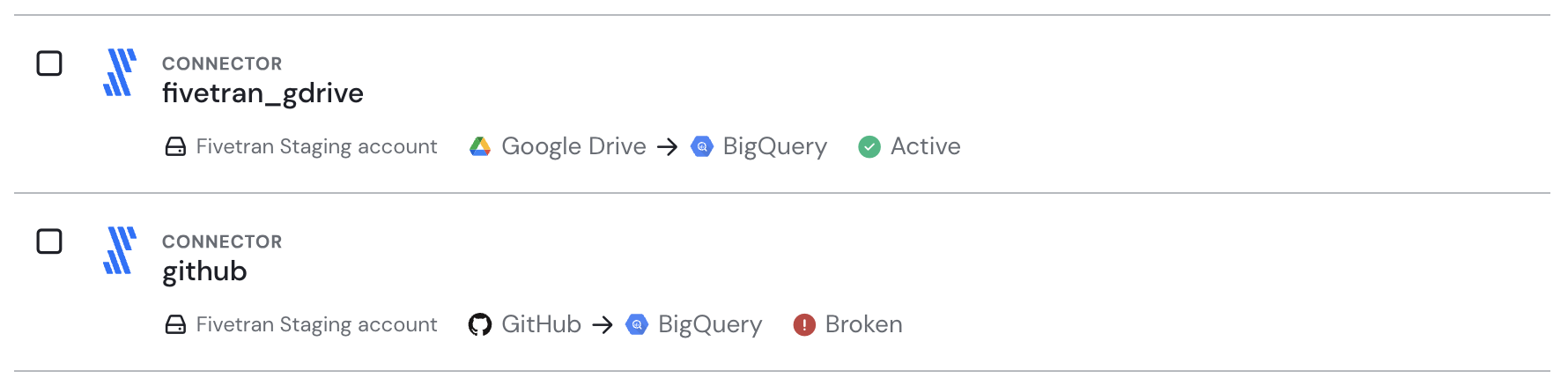
Key metadata about Fivetran connectors via the catalog's assets list.
Collected Metadata
For each connector, from the Fivetran REST API:
- Name: the connector name shown in Fivetran (its destination schema name). Several connectors can have the same name.
- Source platform: the service the connector extracts data from (for example PostgreSQL, Salesforce, Google Sheets).
- Destination platform: the platform of the connector's destination (for example Snowflake, BigQuery, Databricks).
- Status, computed like in the Fivetran dashboard:
active,paused,delayed,broken, orincomplete. - Sync frequency.
- Last successful sync date.
- Created by (name of the Fivetran user who created the connector, when the API key can read users) and creation date.
As for any asset, you can add owners and a description to connectors in Sifflet.
Lineage
The Fivetran integration doesn't add lineage: Sifflet doesn't link connectors to the source assets they read or to the tables they load in your data platform. You can add these links yourself with declarative lineage.
Data Freshness
Sifflet refreshes the connector metadata on the source's schedule. See Integrations Management for the default frequency and how to change it. A connector's status and last successful sync in Sifflet are those of the latest ingestion.
Limitations
- Sifflet imports the current state of each connector, not the history of its syncs: there is no run history and no notification on sync failures.
Data Exposure
The Fivetran integration only reads connector metadata through the Fivetran API. It doesn't read or store any data synced by Fivetran. See Security.
Updated 20 days ago