

SQL Query
Overview
Use the SQL Query monitor when Sifflet's templates are not enough. It lets you specify custom SQL code, and Sifflet then analyzes the results of the query.
SQL
The SQL parameter requires a SQL query that runs on the database that your asset lives on. It executes with the default database and schema of the asset you selected, but you can join to other tables as you would in SQL.
Success and Failure
The SQL Query monitor fails whenever the query returns rows.
If you want the SQL Query monitor to fail whenever there are any rows with a value over 100, write a query that fetches those rows.
SELECT * FROM orders where value > 100AI Features
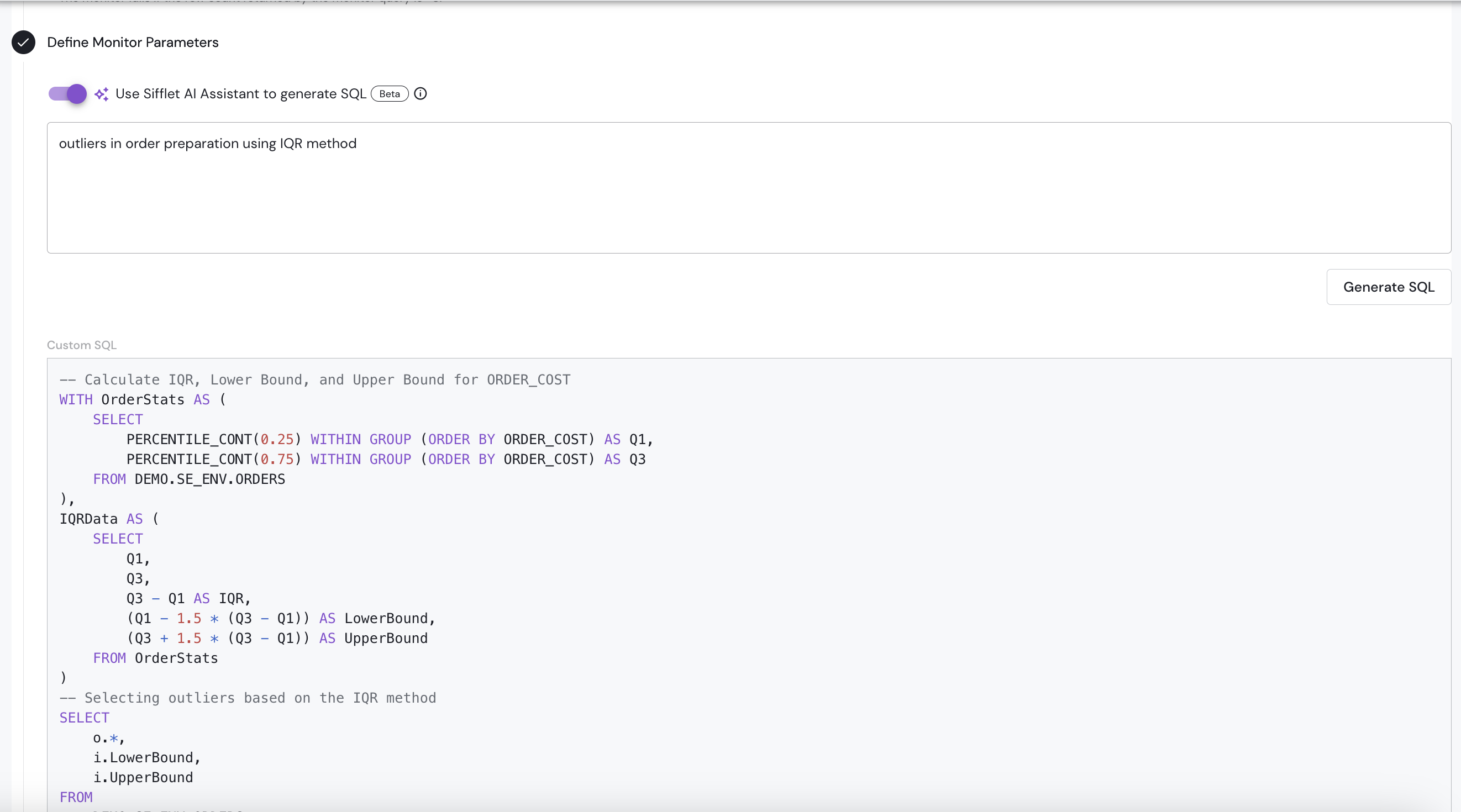
AI-Driven SQL Generation
Sifflet's AI Assistant uses artificial intelligence (AI) to generate SQL for you.
Sifflet leverages the power of all the documented context of your catalog to better understand your prompts. If columns are named in complex ways, having descriptions in the catalog will help the AI agent generate better SQL
Fix SQL with AI for SQL Query Monitors
Writing SQL correctly can be hard. If the test run fails, Sifflet displays the option to use AI to attempt to generate correct SQL.
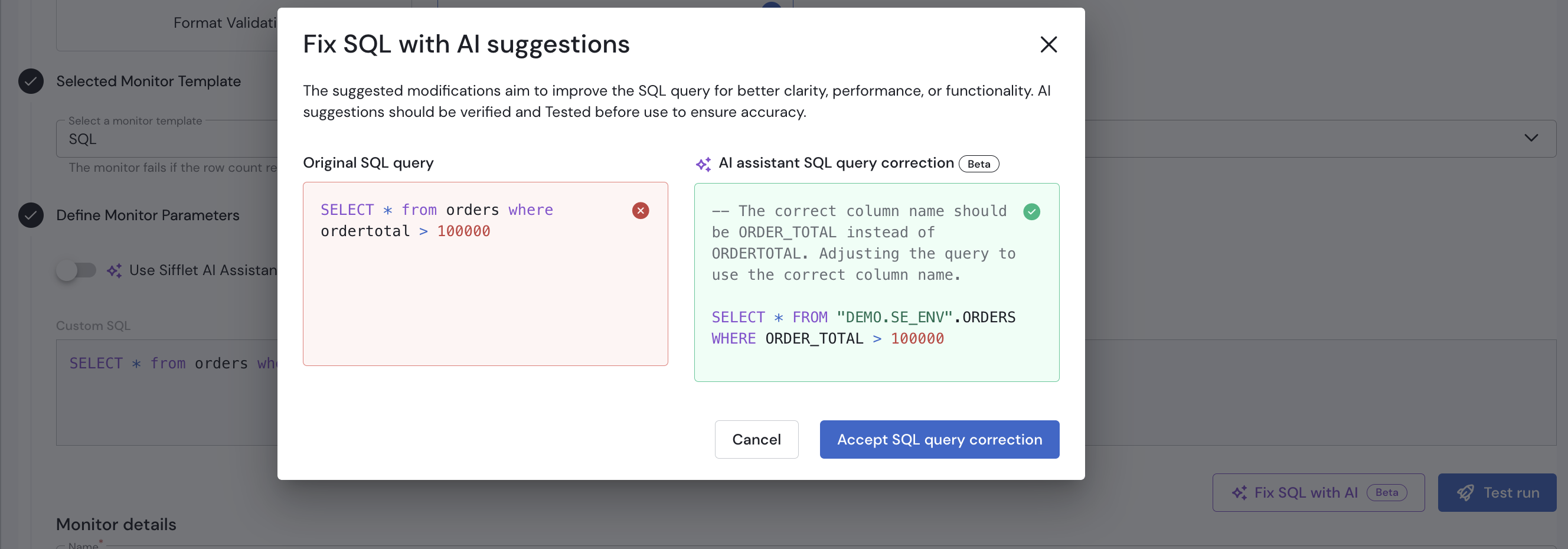
An incorrect column name was used
Limitations
When the SQL query is a multi-step SQL query (also known as a SQL script), Sifflet cannot wrap the query to count the number of rows returned. In this case, Sifflet falls back to a degraded mode and can only count returned rows up to a maximum of 1,000. If the query returns more rows, the monitor shows 1,000.
Updated 20 days ago