

Tableau Troubleshooting
This page lists common issues when connecting Sifflet to Tableau. Error messages appear in the connection test report and in the logs of the source details (click the source name in Integrations > Sources).
Connection
The Host Is Not Found
Symptom:
Unknown hostor
Invalid Tableau host or endpoint not foundCause: the Host field of the source isn't the URL of your Tableau Cloud pod or Tableau Server, or Sifflet can't resolve or reach it.
Fix:
- Check the Host field: it must start with
https://and contain no path or trailing slash, as described in Step 2. - For Tableau Server, check that the server is reachable from Sifflet, as described in Network Access.
Authentication
The Token or Site Is Rejected
Symptom:
Invalid Tableau credentials (token name or secret)or
Invalid Tableau siteCause: the token name or secret in the credential is wrong, the token has expired or been revoked, or the Site field doesn't match the site where the token was created.
Fix:
- Check that the credential uses the JSON format with the
user(token name) andpassword(token secret) keys, as described in Step 2. - Check the Site field: use the site ID from the Tableau URL, or leave it empty for the Default site.
- If the token has expired or been revoked, create a new one as described in Step 1, and update the credential in Integrations > Credentials.
Permissions
No Database Servers Found
Symptom: the connection test fails with:
No database servers found or insufficient permissions to access them. The Personal Access Token must be created from a user with at least the 'Site Administrator Explorer' role.Cause: the Metadata API returns no database connection, because the token's user doesn't have the required site role, or because the Metadata API isn't enabled on Tableau Server.
Fix:
- Give the token's user the Site Administrator Explorer site role (or Server Administrator), as described in Permissions Required.
- On Tableau Server, check that the Metadata API is enabled, as described in Tableau Server Only: Enable the Metadata API.
- Test the connection again.
Names Show as null in the Catalog or Lineage
null in the Catalog or LineageSymptom: the names of some Tableau dashboards show as null in the Data Catalog, or some elements of the Tableau lineage show as null:null.
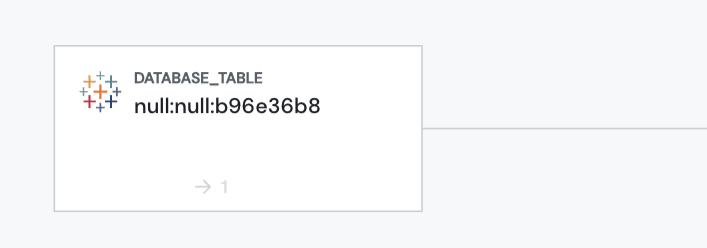
Cause: the token's user doesn't have permission to see all the content of the site. For content the user can't access, the Metadata API returns obfuscated values (null) instead of names, which leads to partial information and incomplete lineage between your tables and your Tableau dashboards.
Fix:
- Give the token's user the Site Administrator Explorer site role (or Server Administrator), or create a new token from a user with this role, as described in Step 1. See Tableau's documentation on site roles.
- If you created a new token, update the credential in Integrations > Credentials.
- Run the source again from Integrations > Sources.
Updated 20 days ago