

Pipeline Alerting
Pipeline alerts provide real-time notifications when an asset in your integrated pipeline fails to execute. This feature helps you stay on top of data pipeline health by sending automated alerts to your preferred communication channels.
How It Works
When you set up a new pipeline integration (such as dbt), a Notifications section becomes available. In this section, you can configure one or more alerting destinations. When an asset (like a dbt model or an Airflow DAG) fails to run, Sifflet automatically sends a notification to the specified destinations.
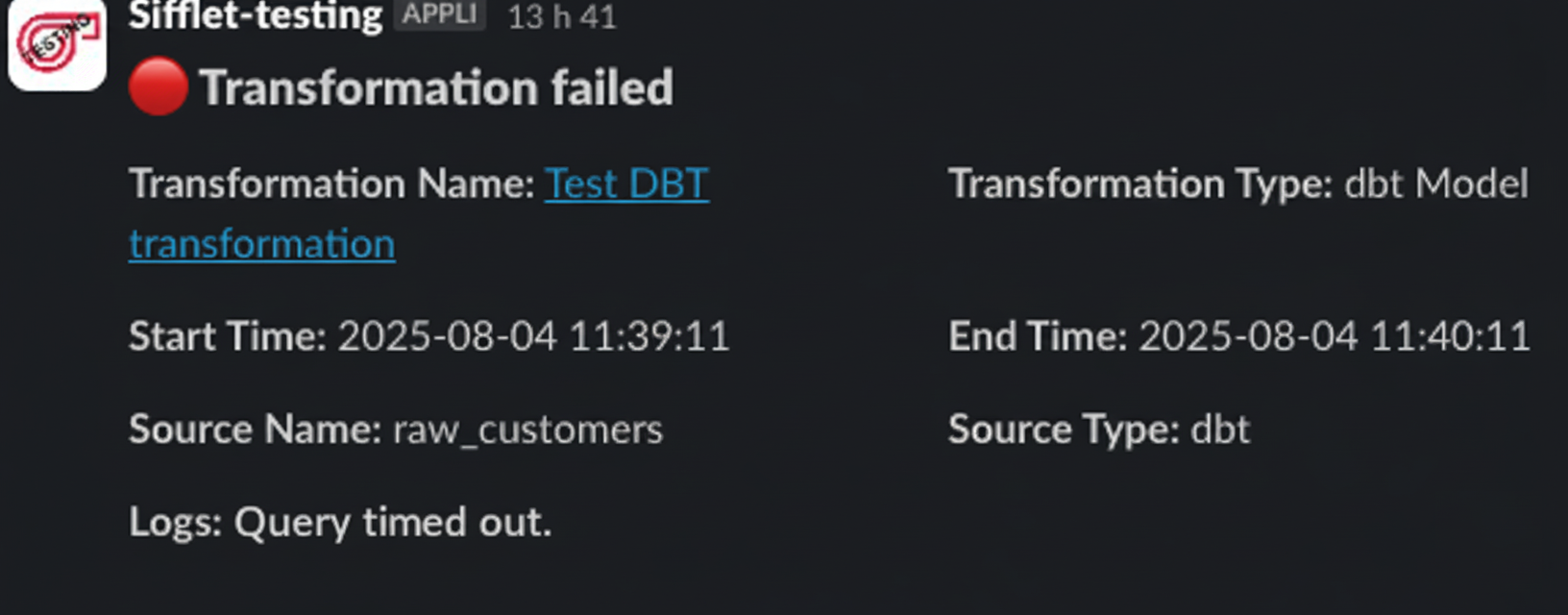
Sample Slack notification for dbt model failure
🔔 Supported Destinations
You can receive pipeline alerts through the following platforms:
- Slack: Get real-time notifications directly in one or multiple designated Slack channels.
- Email: Receive alerts via email, useful for formal communication or when you're not in Slack.
- Microsoft Teams: Have alerts sent to one or multiple Microsoft Teams channels.
- Webhooks: Send failure notifications to a custom URL, enabling integration with any service that can receive a POST request.
Setup Guide
To activate pipeline alerts:
- Navigate to the Integrations page in Sifflet.
- Select your pipeline integration (Airflow, dbt, or Fivetran).
- In the integration setup, find the Notifications section.
- Activate the destination that corresponds to your preferred platform (Slack, Email, Webhooks, or Microsoft Teams).
- Specify the channels where you want to receive notifications.
- Save your integration settings.
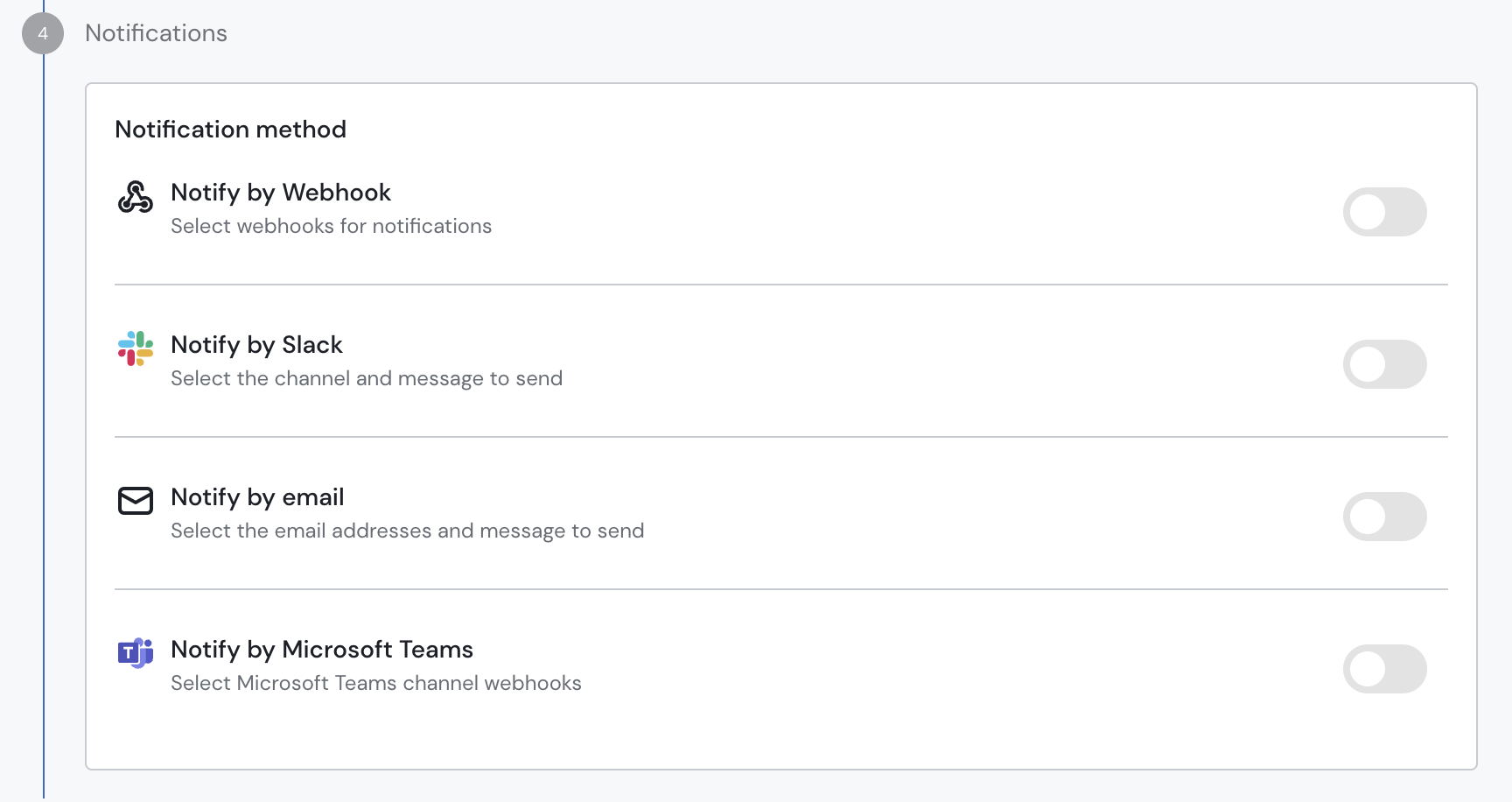
Pipeline Alerting configuration
Once you configure it, Sifflet sends alerts automatically whenever a pipeline asset fails.
Updated about 1 month ago