

FAQ
BigQuery External Tables
I have external tables on BigQuery, how does Sifflet handle them?
Sifflet treats your external tables the same way as any regular table on BigQuery: you can find them in the catalog and monitor them.
Sifflet currently supports the following external table types, requiring additional permissions based on the external system:
| External Table type | Supported | Additional rights required |
|---|---|---|
| Google Cloud Storage (GCS) | ✅ | You can grant the service account the following rights to have Viewer access for all GCS buckets/objects: OR You can choose to grant the service account Viewer access only on the buckets referenced by your external tables. |
| Google Drive, Google Sheets | ✅ | You can grant the service account Viewer access only on directories/files referenced by your external tables. |
| Google Cloud Bigtable | ❌ |
Unable to Add a BigQuery Dataset
When creating the source, after pressing "List Datasets" I cannot find the dataset I want to add, is there any configuration issue?
Sifflet displays only the datasets the service account has access to. If you do not see a specific dataset, review the service account's permissions.
Managing Permissions at the Dataset Granularity
I would like to manage the permissions for the service account at the dataset level, how should I do this?
- Create a role as described in the BigQuery integration guide but without the
jobs.createpermission:
bigquery.datasets.get
bigquery.tables.get
bigquery.tables.getData
bigquery.tables.list
bigquery.jobs.listAll- Create another role with only the following permission:
bigquery.jobs.create- Create a service account as described in the BigQuery integration guide and assign it the second role (with the
jobs.createpermission). This grants the service account the permission at the project level but does not give it access to datasets. - For each dataset that you wish to see in Sifflet, follow the below steps:
- In the BigQuery Explorer panel, select a dataset
- Click Sharing -> Permissions
- Click Add Principal
- In the New Principals field: Select or enter the service account you created for Sifflet
- In the "Select a role" List, select the custom role you created in the first step (the one with the 5 permissions)
- Click Save
Billing on Another BigQuery Project
I would like to bill my queries on a project other than the one I am using in production. Is it possible?
To better manage the costs associated with the queries executed by Sifflet, you can bill your queries on an additional project, an empty one for instance.
The service account will need the following permissions on the billing project:
bigquery.jobs.createOn the queried project, the permissions needed are:
bigquery.datasets.get
bigquery.tables.get
bigquery.tables.getData
bigquery.tables.list
bigquery.jobs.listAll
Specify the ID of the billing project in your data source parameters.
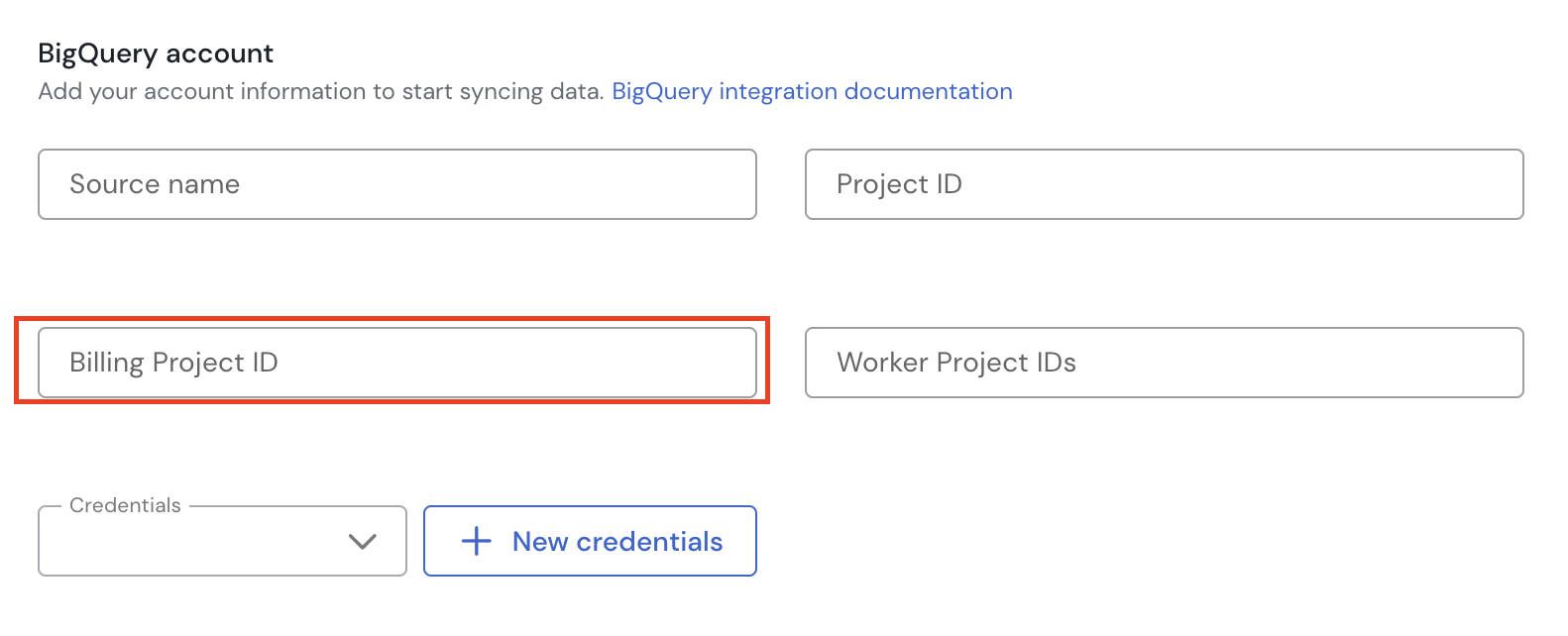
Worker Project IDs
What is the Worker Project Ids parameter?
The Worker Project Ids parameter is optional. You can set it to a list of project IDs that you use in BigQuery to query datasets in the Project Id project.
The job history of these worker projects can contain useful usage and lineage information about the datasets in the Project Id project.
If the provided service account has sufficient permissions to query the job history of the worker projects (bigquery.datasets.get to list the datasets and bigquery.jobs.listAll to list the jobs), then Sifflet uses them to extract additional lineage information on the source's datasets.
If the service account does not have sufficient permissions on these projects, neither the connection test nor the ingestion will fail. The application will simply not use their job history.
Updated 1 day ago