

Automatic Incident Grouping
When a data quality monitor fails, our platform works to minimize alert fatigue and help you focus on the root cause of a data problem. Instead of creating a new, isolated incident for every single failure, the system analyzes your Dataset Lineage and existing open incidents. If a relevant incident is found, the new failure is grouped into it.
This page explains the logic behind this powerful feature.
How It Works
When a monitor in Sifflet fails (the "New Failure"), Sifflet performs a multi-step analysis to determine if it should be grouped with an existing issue or if a new incident should be created.
- Look for Recent Incidents: Sifflet searches for any open incidents that have had a new failure within the last 7 days.
- Analyze Relationships: It then analyzes the new monitor failure to see if it's related to any of these recent incidents based on two key factors:
- Semantic Match: It checks if the type of the active incident is semantically related to the type of the new failure. Not all failures in a lineage are related; for example, a Freshness delay often causes a Volume issue, but a Schema Change is likely unrelated to an Email Format error.
- Data Lineage: Whether the monitors are on the same data asset or on assets that are connected upstream or downstream.
- AI Validation (Relevance Check): Sifflet uses an AI model to validate the potential connection, analyzing the context of both the new failure and the existing incident to confirm if they are truly related.
- Group or Create:
- If a strong relationship is found, the new monitor failure is added to the existing incident.
- If no related incident is found, a new incident is created.
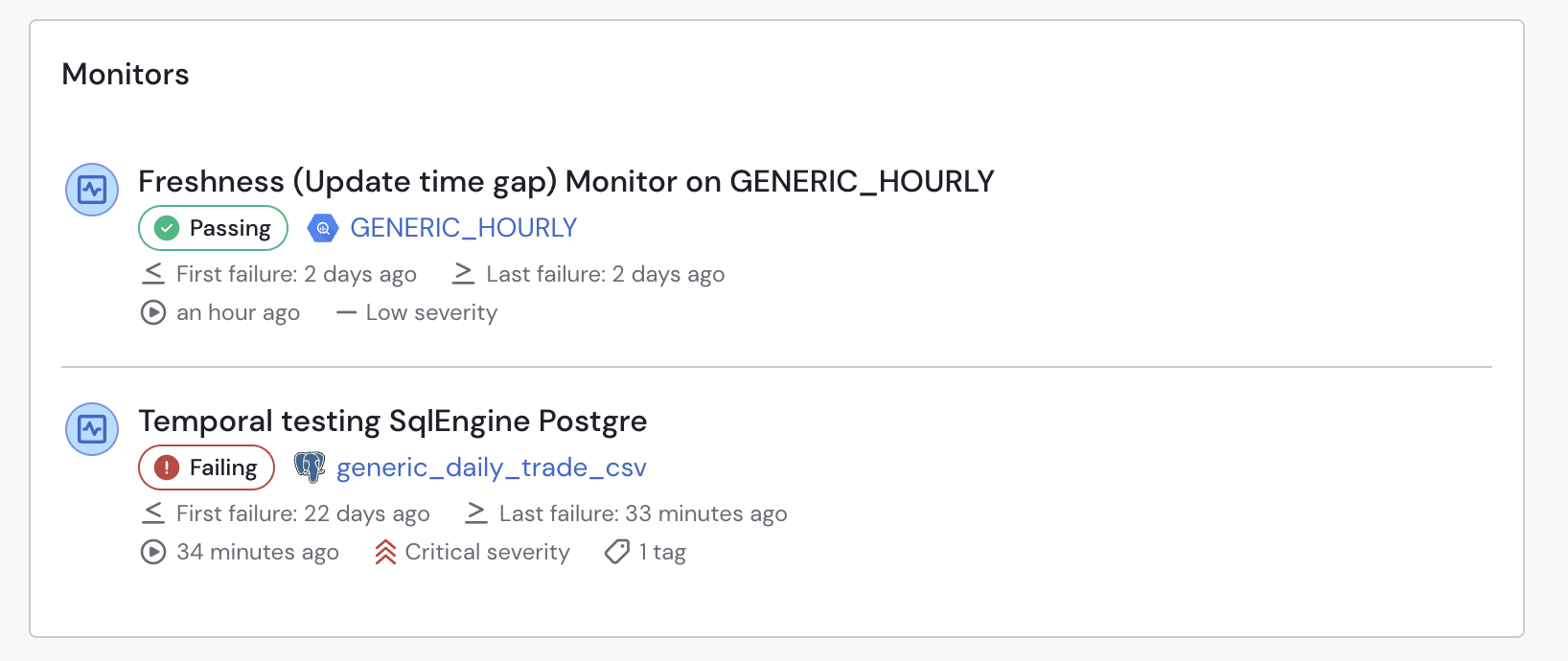
Grouped failing monitors within the incident page.
Grouping Rules
Sifflet uses the following logic to determine if monitor failures are related. Grouping is heavily dependent on whether the monitors share the same table/column or are connected via table lineage or column lineage.
Table Level Health Monitors
| New Failure Type | Will group with existing Lineage Incidents involving... |
|---|---|
| Freshness / Freshness (Update Time Gap) | Freshness / Freshness (Update Time Gap), Volume |
| Volume | Freshness / Freshness (Update Time Gap), Volume, Duplicate, Sum Metrics |
| Row Duplicates | Duplicate, Volume, Field Duplicates |
| Schema Change | Schema Change only |
Field Profiling Monitors
| New Failure Type | Will group with existing Lineage Incidents involving... |
|---|---|
| Field Duplicates | Field Duplicates, Volume, Duplicate |
| Field Nulls | Field Null only |
| Field Value Range | Value Range only |
| Field Value In List | Not In List only |
| Field Format (Email) | Email only |
| Field Format (Regex) | Regex only |
| Field Format (UUID) | UUID only |
| Field Format (Phone) | Phone Number only |
| Referential Integrity | Referential Integrity only |
Metrics Monitors
| New Failure Type | Will group with existing Lineage Incidents involving... |
|---|---|
| Sum | Metrics excl. Count Volume Duplicates |
| Count | Count Monitor |
| Other Metrics (excl. Sum/Count) | Metrics excl. Sum/Count Distrbution |
| Custom Aggregation | Custom Aggregation |
Custom Checks and Transformations
| New Failure Type | Will group with existing Lineage Incidents involving... |
|---|---|
| Custom SQL / Conditional Monitor / Custom Metrics | Custom SQL, Conditional Monitor, Custom Metrics |
| DBT Tests | DBT Tests |
AI-Generated Incident Descriptions
When incidents are automatically grouped or a new monitor is linked to an existing incident, Sifflet uses AI to generate a clear, human-readable description of the incident. This description summarizes the failures and provides context, helping you quickly understand the issue.
Updated 9 months ago