

Improved
New on notification rules: Filter by monitor status
20 days ago by Gabriela Romero
Notification rules now let you choose which monitor statuses trigger an alert:
- Failing: the monitor ran and found an issue with your data.
- Needs attention: the monitor couldn’t run properly because of a technical issue.
By default, both statuses are selected, so existing behavior doesn’t change. You can remove one to narrow the rule, but at least one status must always stay selected.
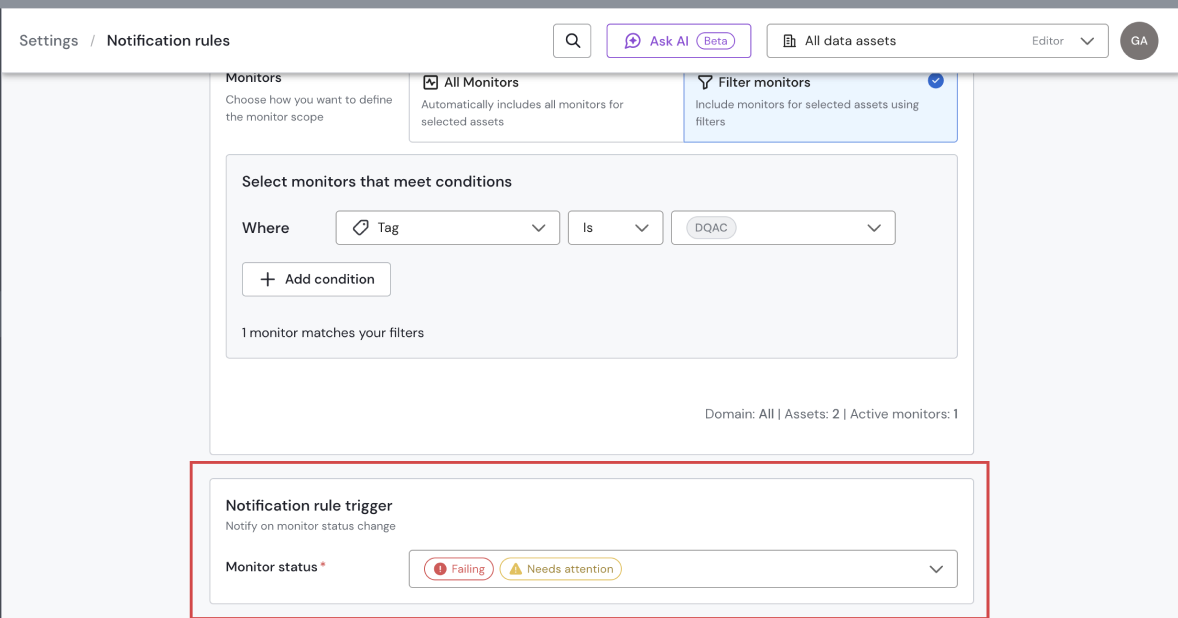
This lets you route data issues and technical issues to different places, for example sending Failing alerts to your data owners and Needs attention alerts to your data engineering team.
Example: Create one rule that notifies the data owners only when monitors are Failing, and another that notifies the data engineering team only when monitors Need attention.
Learn more about it here.