

Incident Muting and Improvements to Monitor Muting
You can now mute incidents and monitors to reduce noise from known or accepted issues, without losing visibility into your data quality history.
Mute incidents
Incidents can now be muted directly from the Incident screen, with a choice of duration: until tomorrow, for 2 days, or indefinitely. Muted incidents stop triggering notifications but remain visible and searchable, so you keep a full record without the alert fatigue.
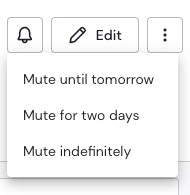
Mute options on Incident Page
Filter by muting status in the Incident List
The Incident List now includes a filter for muting status, so you can quickly separate active incidents from muted ones — or review everything that's currently muted across your workspace.
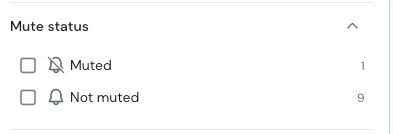
Mute Status Filter on Incident List page
More flexible monitor muting
Monitor muting already let you silence a monitor until its status improved from Failed to Passing. You can now also choose a fixed duration — until tomorrow (8am), for 2 days, or indefinitely — giving you more control over how long a noisy or temporarily unreliable monitor stays quiet. Additionally, muted monitors do not generate new incidents.
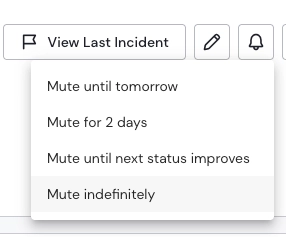
Muting options at Monitor level
ℹ️ We will be releasing the mute status filter in the Monitor screen in one of our next releases.
Questions or feedback? Reach out to your Sifflet contact or visit docs.siffletdata.com.