

Datasets are now marked as "Not found" before deletion
about 2 hours ago by Gabriela Romero
Datasets that are no longer detected during ingestion, along with their associated monitors, are no longer deleted immediately. Instead, they're marked as Not found.
Here's what's new:
-
New asset status: A Not found status appears on the asset in the list and detail views, making it clear that the dataset was not detected during the latest ingestion.
-
New filter: You can now filter assets by Not found, under Quality Status.
-
Tooltip information: Hovering over the status shows when the asset was last found and when it is scheduled to be removed from Sifflet.
7-day recovery period: If the dataset is detected again within 7 days, it automatically returns to its normal status, with its monitors intact.
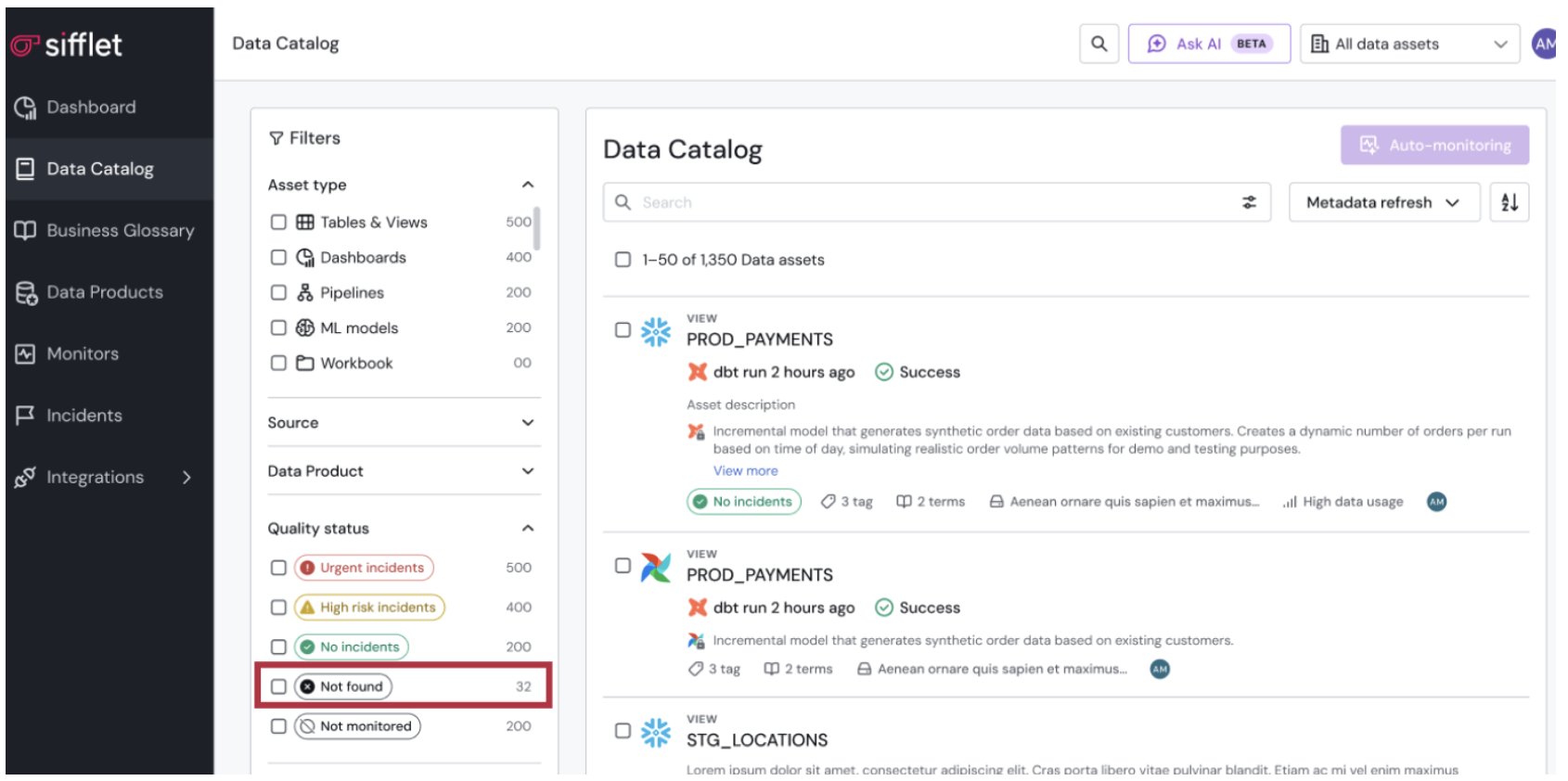
Not found filter
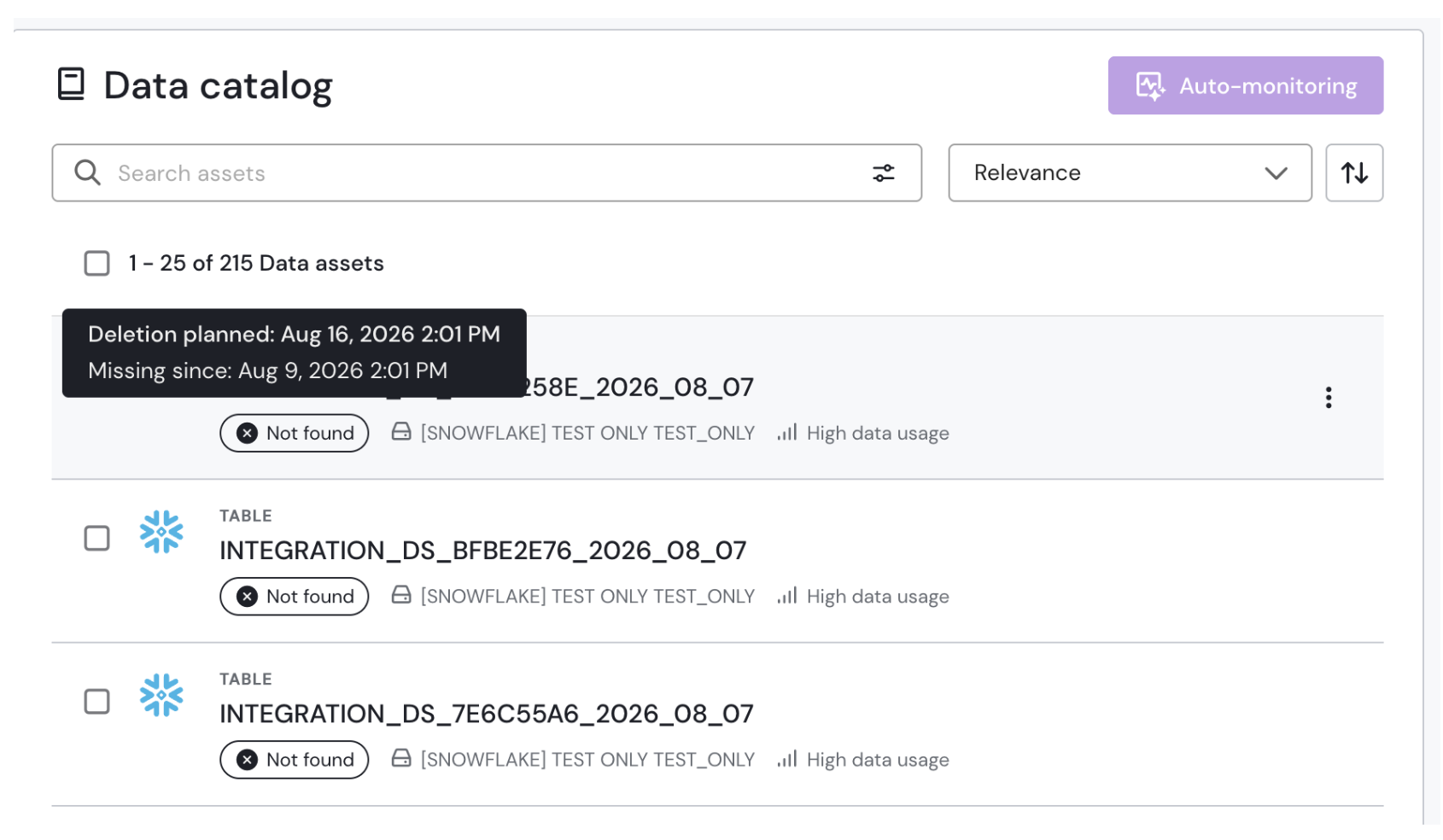
Not found information